> For the complete documentation index, see [llms.txt](https://docs.abtasty.com/llms.txt). Markdown versions of documentation pages are available by appending `.md` to page URLs; this page is available as [Markdown](https://docs.abtasty.com/integrations/pull-integrations/fullstory.md).
# Fullstory
## Fullstory & AB tasty
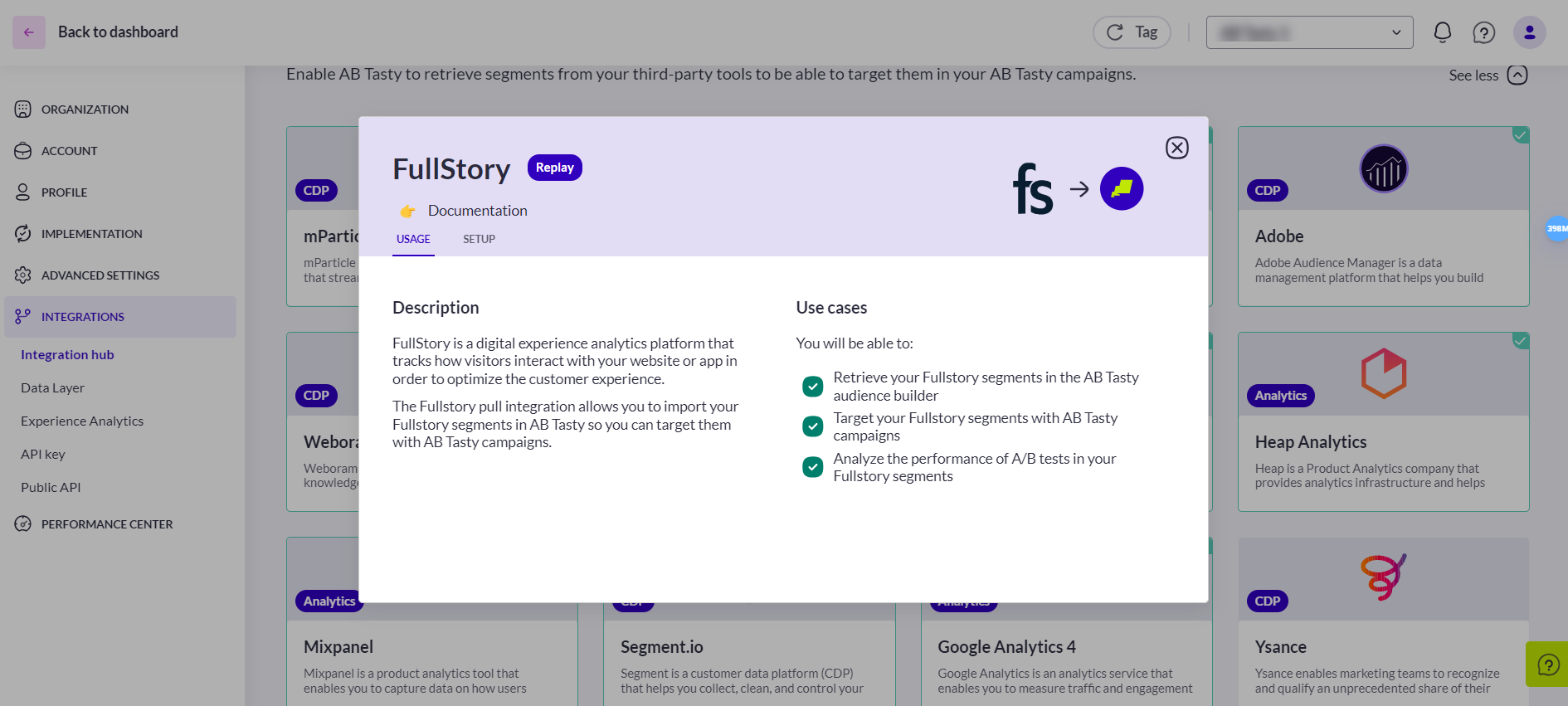
FullStory is a digital experience analytics platform that tracks how visitors interact with your website or app to optimize the customer experience.
The FullStory integration allows you to import your FullStory segments in AB Tasty, so you can target them through AB Tasty campaigns.
A segment in FullStory is any subset of users based on a particular criterion defined by you. For further information on how to use segments, please refer to the [FullStory documentation](https://help.fullstory.com/hc/en-us/articles/360020622754-Can-I-save-searches-that-I-use-frequently-as-a-Segment-)
\
The FullStory pull integration uses the FullStory API to [export existing](https://help.fullstory.com/hc/en-us/articles/360020622754-Can-I-save-searches-that-I-use-frequently-as-a-Segment-) segments and import them into AB Tasty. In the FullStory interface, you’ll see one data export per segment.
{% hint style="info" %}
Segments are exported daily at 3:00 AM Paris time (CEST), containing the data from the previous day.
As a result, a user who enters a segment at day D between 8:00 AM and 11:00 PM (CEST) will be available for activation in AB Tasty starting day D+1 at 3:00 AM (CEST).
{% endhint %}
## Integration
### Get a FullStory API Key
The FullStory pull integration will use the FullStory API to pull segments and import them into AB Tasty. To use the FullStory API and access the segment, we need an API key.
An API key is a unique key that allows a third-party tool to communicate with the specific accounts of each tool, i.e., send data from/to your account.
To enable the integration on Fullstory, follow the steps below:
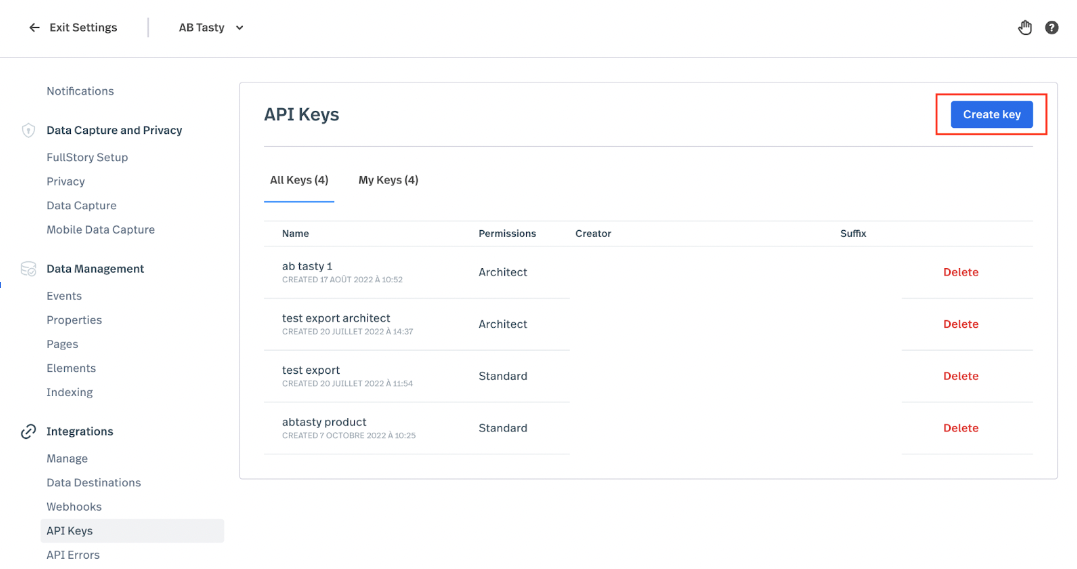
1. Access **Settings > Integrations > API Keys**
2. Click **“Create key”**
3. In the drawer that appeared, give a name to the API key you will create and give it the “Architect” permissions.
4. Click “Save API Key.”
5. Upon successful creation of a key, a modal will appear with the new key’s value. You must copy the value from this modal at this time. You will not be able to see the key value again. Copy the value, and save it in your preferred API key or password manager. This API key value will be used to activate the integration in AB Tasty.
For further information on FullStory API keys, please refer to the [FullStory documentation](https://help.fullstory.com/hc/en-us/articles/360052021773-Managing-API-Keys).
### Enabling the Integration on AB Tasty
\
To enable the integration on AB Tasty (with the API key saved), follow the steps below:
1. Access **Integrations > Integration Hub > Pull**.
2. Search for and select **FullStory**.
3. Click **Setup connector.**
4. Give a name to your connector so you can easily retrieve it.
5. Copy and paste the FullStory API key.
6. Click **Save and create connector.**
7. The FullStory integration is now set up. No other action is required. This allows AB Tasty to pull the segments from FullStory.
## Configuration
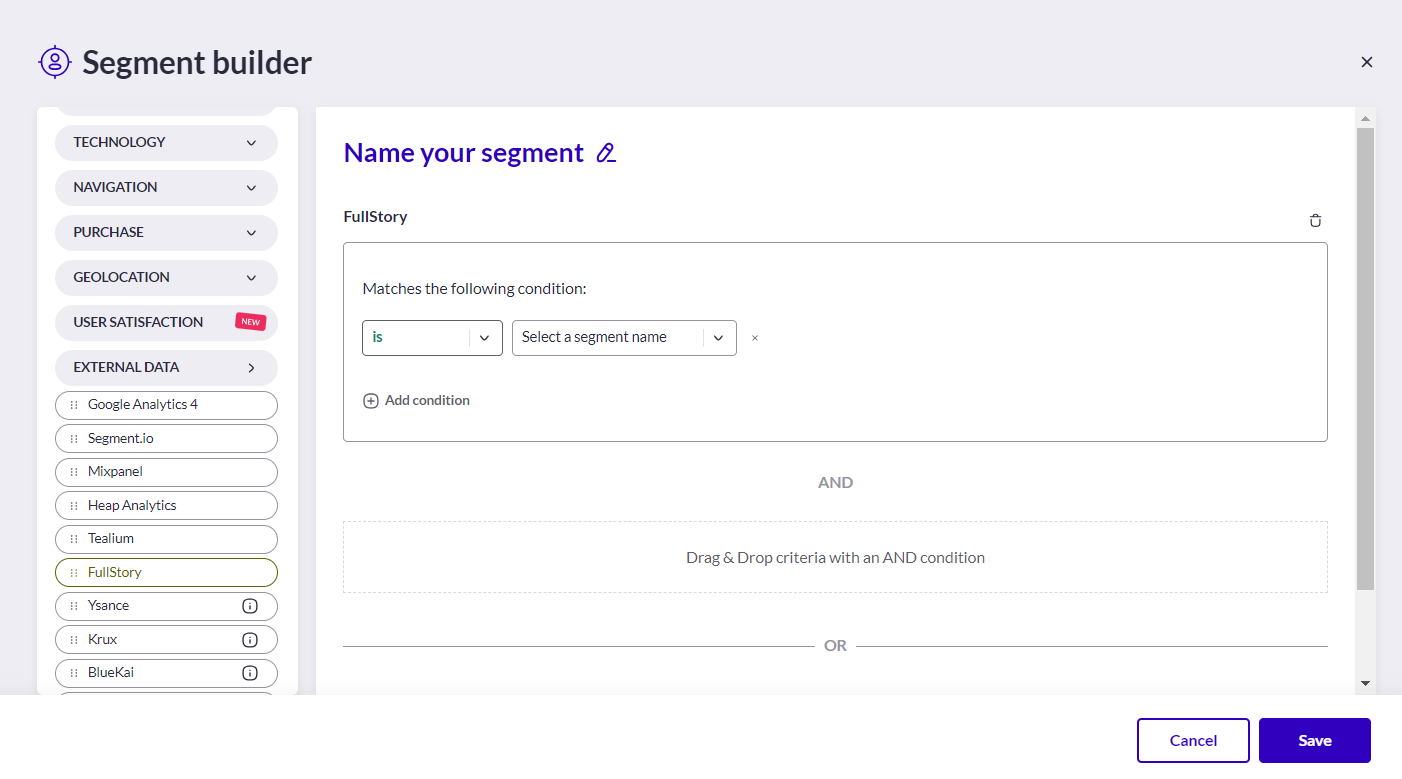
Once you have activated and configured an integration, you are able to retrieve FullStory segments in the segment builder (available when you create a new segment).
\
Audiences generated by your integrations can all be found under the criteria group **EXTERNAL DATA**.
For each integration, you will have a corresponding item that you can drag and drop to use.
For global information on how to build a targeting segment, please refer to [how to create a segment](/web-experimentation-and-personalization/targeting-step/how-to-create-a-segment-who-section.md).
For an audience to be available in the segment builder, it must not be empty, meaning that we have to identify at least one user belonging to that audience.
Once a user is identified, the audience will appear in the segment builder.
## Technical Specifications
* AB tasty push the **abtastyisitorid** to FullStory with the **abtasty** event, thus once the integration is set up the **abtasty** event and **abtastyisitorid** property will be visible on the FullStory interface.
* The **abtastyisitorid** property is used to match users.
* For the audiences to be used in AB Tasty’s segment builder (once exported from FullStory), we need to match at least one user, i.e., Empty audiences will not be displayed in the segment builder.
* The FullStory pull integration will use the FullStory API to create [data exports](https://help.fullstory.com/hc/en-us/articles/360020829273-What-is-Data-Export-) of existing segments and import them into AB Tasty. So, you can see in the FullStory interface one data export for each segment.
* Segments are exported daily at 3 am, with the data from the day before. A user entering an audience at D/8 am or D/11 pm can be activated in AB Tasty at D+1/3 am.
* For the audience to be visible in the segment builder, you need to wait 24 hours after the setup of the integration. This is due to the different synching mechanisms between the tools (data collection by FullStory and then the data import from FullStory to AB Tasty).
---
# Agent Instructions
This documentation is published with GitBook. GitBook is the documentation platform designed so that both humans and AI agents can read, navigate, and reason over technical content effectively. Learn more at gitbook.com.
## Querying This Documentation
If you need additional information that is not directly available in this page, you can query the documentation dynamically by asking a question.
Perform an HTTP GET request on the current page URL with the `ask` query parameter, and the optional `goal` query parameter:
```
GET https://docs.abtasty.com/integrations/pull-integrations/fullstory.md?ask=&goal=
```
`ask` is the immediate question: it should be specific, self-contained, and written in natural language.
`goal` is optional and describes the broader end goal you are ultimately trying to accomplish on behalf of the user. GitBook uses it to tailor the answer towards what is most useful for that goal.
The response will contain a direct answer to the question and relevant excerpts and sources from the documentation.
Use this mechanism when the answer is not explicitly present in the current page, you need clarification or additional context, or you want to retrieve related documentation sections.