> For the complete documentation index, see [llms.txt](https://docs.abtasty.com/llms.txt). Markdown versions of documentation pages are available by appending `.md` to page URLs; this page is available as [Markdown](https://docs.abtasty.com/recommendations-and-merchandising_deprecated/recommendations/introduction-1/how-to-push-recommendations-into-your-brevo-emails.md).
# How to push recommendations into your Brevo emails
Once you’ve created your email recommendation and are satisfied with its setup, you can integrate it into your email campaign by creating an email template in Brevo. Follow the steps below to include AB Tasty Recommendations & Merchandising feeds in your email design.
## Step 1: Start a Campaign in Developer Mode
* Log in to your Brevo account.
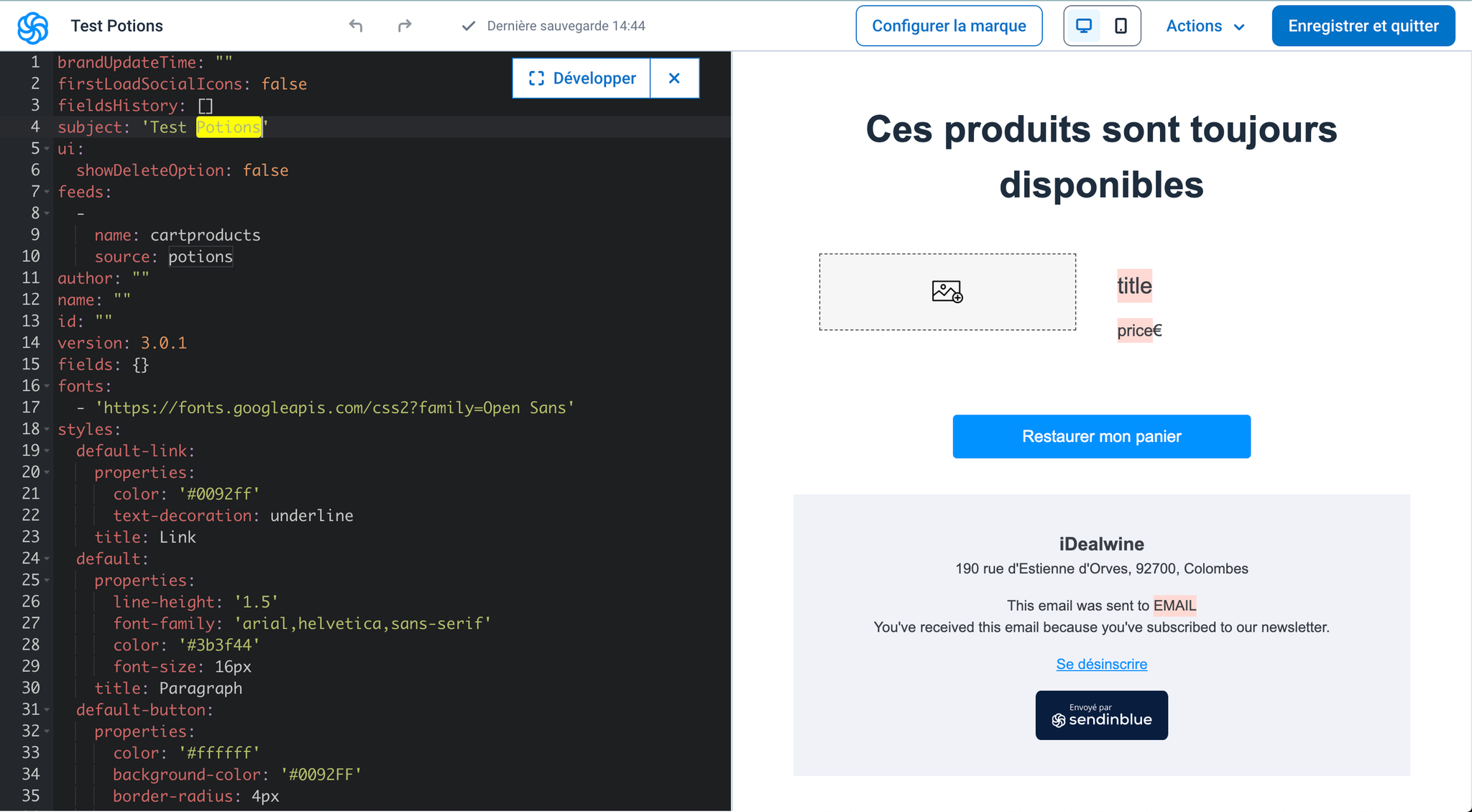
* Begin creating a new campaign and enable Developer Mode to allow for custom coding in the email template.
## Step 2: Add the AB Tasty Recommendations Feed
* Incorporate the AB Tasty Recommendations & Merchandising feed into your email template.
* This feed will dynamically populate your email with recommended products.
## Step 3: Create a Repeated Block
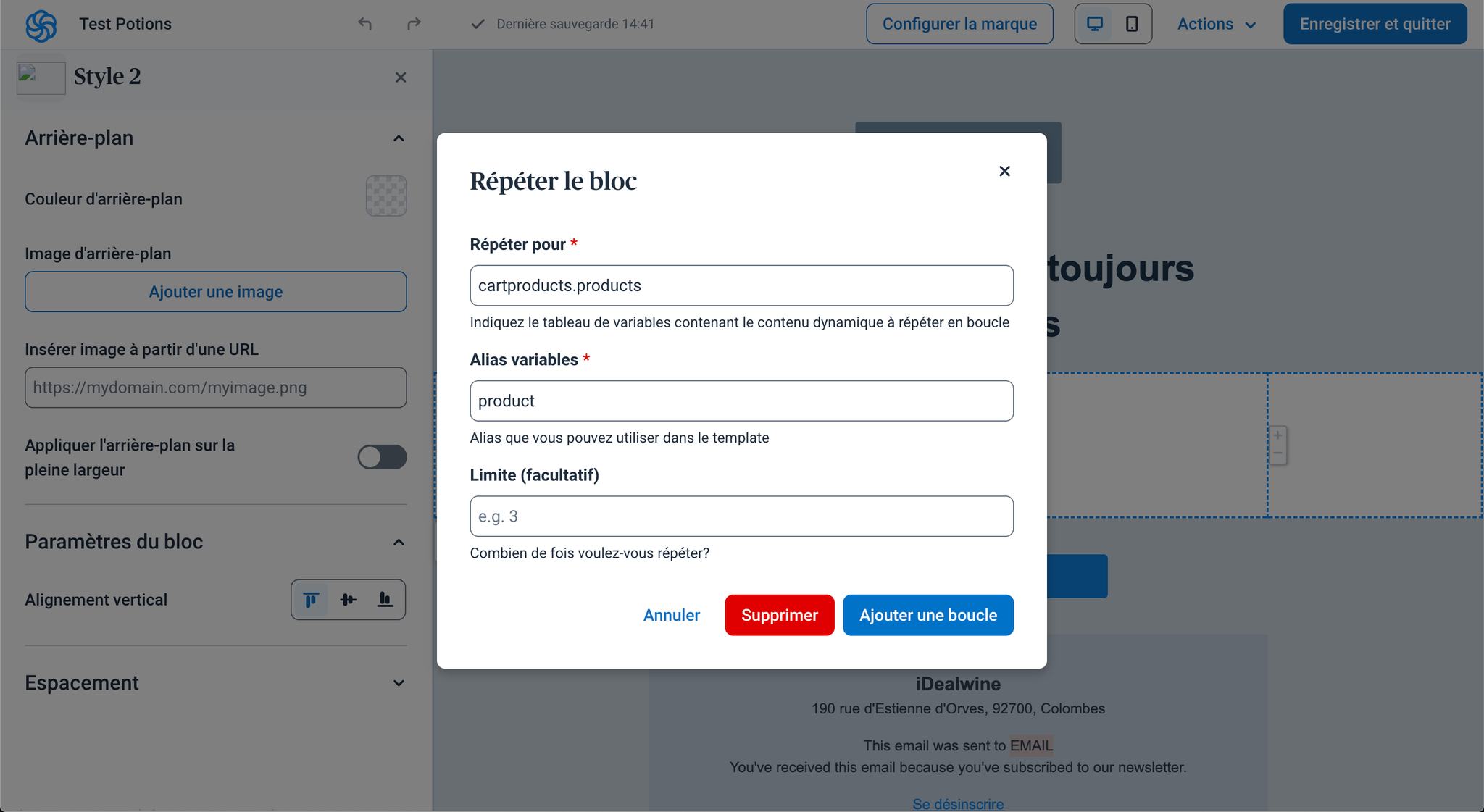
* Design a repeated block in your email template.
* Configure the block to repeat for each product in the recommendation feed using the syntax:\
\[feedName].products.
## Step 4: Access Product Fields
Use the {{fieldName}} notation to retrieve and display product information in the email.
1. 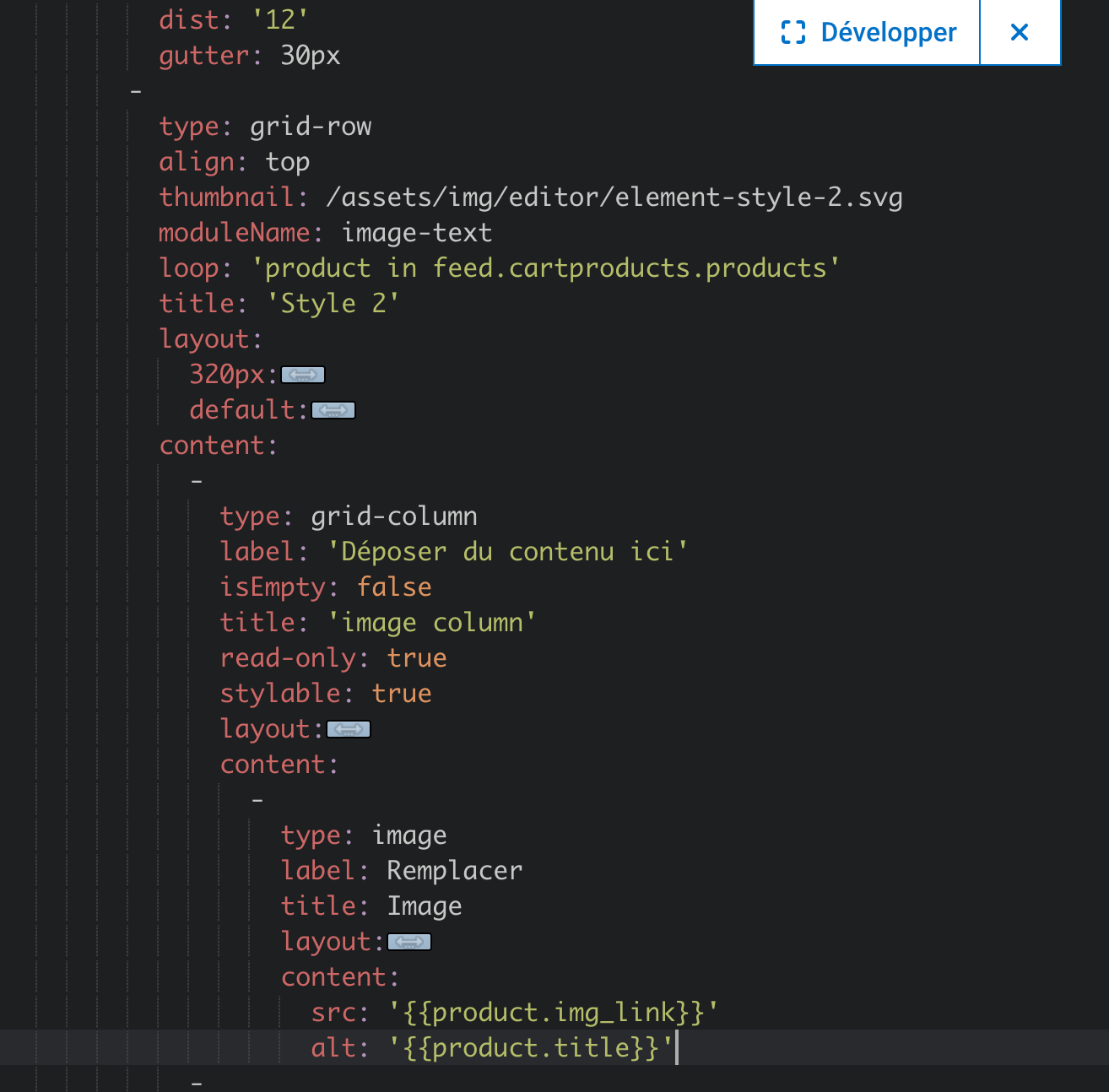
The following generic fields are provided by the AB Tasty Recommendations & Merchandising feed:
### Field Description
| id | Parent ID of the product |
| -------------- | --------------------------------------------- |
| title | Name of the product |
| img\_link | Main image link of the product |
| absolute\_link | Absolute link to the product page |
| price | Price of the product |
| stroke\_price | Original price of the product (if discounted) |
| discount\_rate | Discount rate of the product |
## Final Notes
* Ensure the email design adapts well to mobile and desktop views for an optimal user experience.
* Always test your email template with live data from the feed to verify that all fields are populated correctly.
* For additional guidance or troubleshooting, consult Brevo’s developer documentation or contact your Customer Success Manager (CSM).
---
# Agent Instructions
This documentation is published with GitBook. GitBook is the documentation platform designed so that both humans and AI agents can read, navigate, and reason over technical content effectively. Learn more at gitbook.com.
## Querying This Documentation
If you need additional information that is not directly available in this page, you can query the documentation dynamically by asking a question.
Perform an HTTP GET request on the current page URL with the `ask` query parameter, and the optional `goal` query parameter:
```
GET https://docs.abtasty.com/recommendations-and-merchandising_deprecated/recommendations/introduction-1/how-to-push-recommendations-into-your-brevo-emails.md?ask=&goal=
```
`ask` is the immediate question: it should be specific, self-contained, and written in natural language.
`goal` is optional and describes the broader end goal you are ultimately trying to accomplish on behalf of the user. GitBook uses it to tailor the answer towards what is most useful for that goal.
The response will contain a direct answer to the question and relevant excerpts and sources from the documentation.
Use this mechanism when the answer is not explicitly present in the current page, you need clarification or additional context, or you want to retrieve related documentation sections.