> For the complete documentation index, see [llms.txt](https://docs.abtasty.com/llms.txt). Markdown versions of documentation pages are available by appending `.md` to page URLs; this page is available as [Markdown](https://docs.abtasty.com/recommendations-and-merchandising_deprecated/recos-and-merch-algorythms/how-to-create-your-algorithms.md).
# How to create your algorithms
This feature is only aviable in dev mode
Follow this step-by-step guide to quickly create and configure algorithms for personalised recommendations or merchandising.
## Access the Algorithm Tab
Go to the **Algorithm tab** in the left-hand menu.
To create a new algorithm, click on the **+ Add New Algorithm** button. This will open the configuration page.

## Rename Your Algorithm
As a first step, **rename your algorithm** by editing the generic title at the top of the page. This will make it easier to identify later when setting up recommendations or merchandising.
## Define Parameters
1. Algorithms can have **individual parameters** configured.
2. If an algorithm is added as a sub-algorithm, its parameters are automatically included in the global parameters and cannot be removed.
3. To add a parameter, click on the **Add Parameter** button.
## Set Up Algorithms
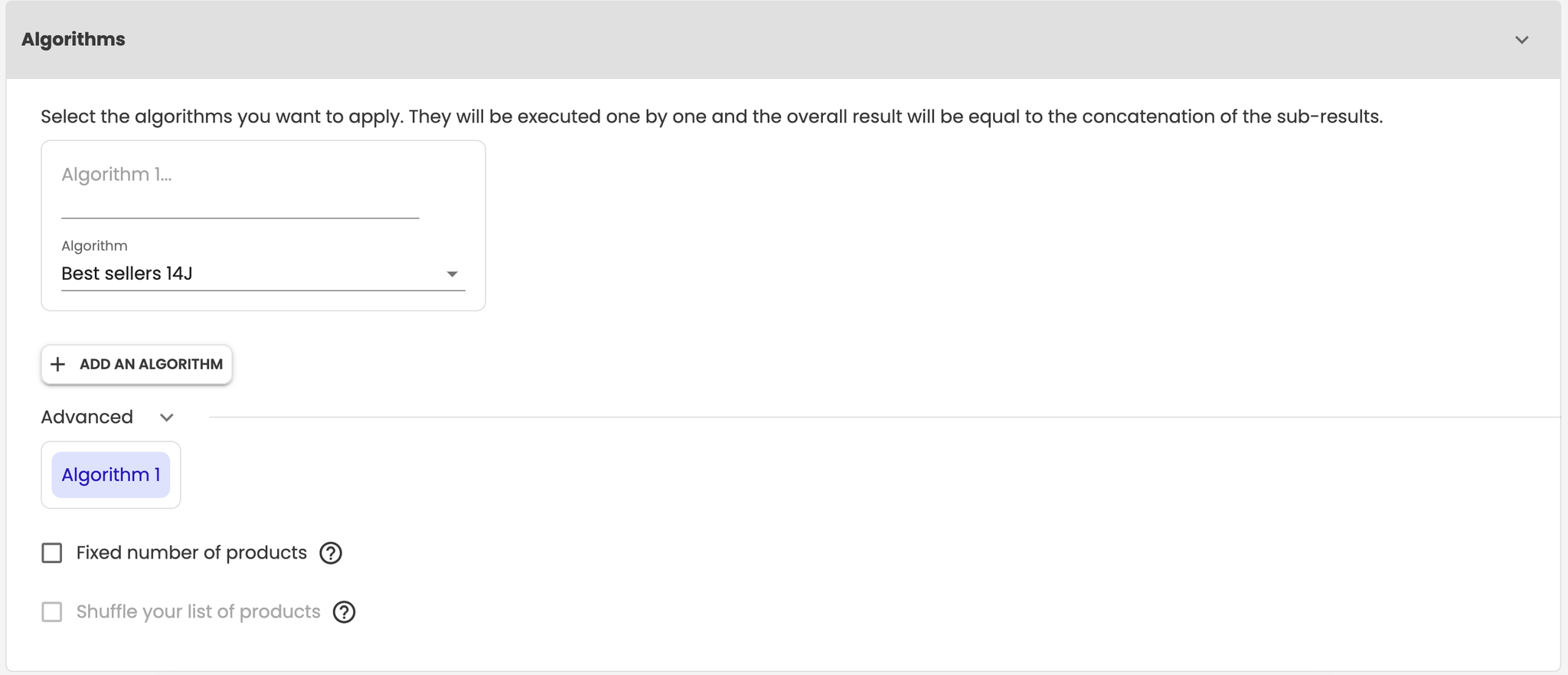
Algorithms determine how products are retrieved and displayed. They are executed in sequence, with the results combined to form the final list.
1. If the first algorithm returns fewer products than required, subsequent algorithms fill the remaining slots (e.g., Algorithm 1 provides 5 products, Algorithm 2 provides the 6th product, and so on).
2. Use clear and descriptive names for each algorithm to make them easier to manage.
To add an algorithm: click on the **+ Add an Algorithm** button.
Configurable settings for each algorithm:
* **Maximum number of products:** Limit the number of products retrieved.
* **Shuffle products:** Randomise the product order to prevent repetitive displays.
## Apply Filters
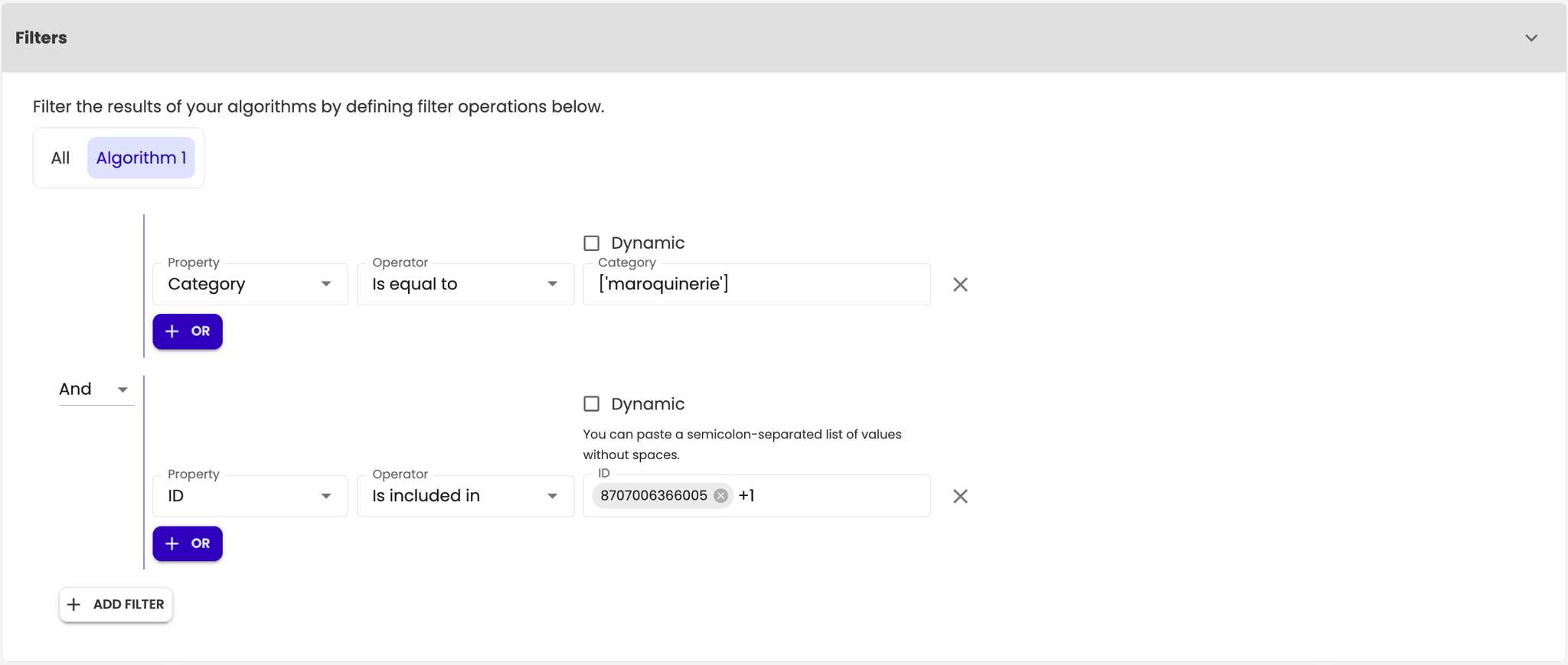
Filters refine the results returned by the algorithms. You can apply them globally or to individual algorithms.
**To add a filter:**
1. Click on the **+ Add a Filter** button.
2. Choose the logical condition between filters (AND or OR).
3. Add additional conditions using the + OR button.
## Highlight Specific Products
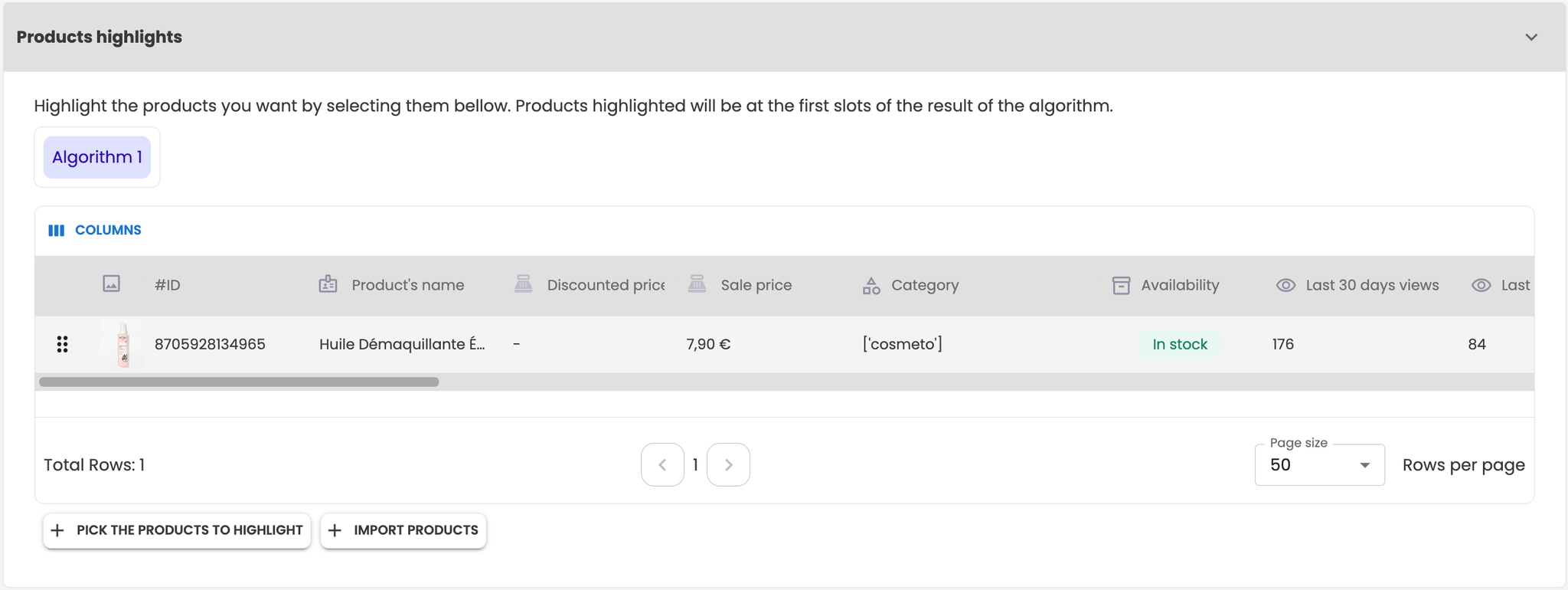
Promote key products to appear at the forefront of the results, regardless of whether they are included by the algorithms.
1. Highlighted products appear only once in the final results, even if listed multiple times.
2. You can configure highlighted products for each algorithm individually.
**To highlight products:**
1. Click on the **+ Pick Products** to Promote button.
2. Use the interface to search, filter, add, or remove products.
3. Alternatively, import products using the Import Products button and provide a list of product IDs. If an ID is invalid, an error message will appear.
## Set Exceptions
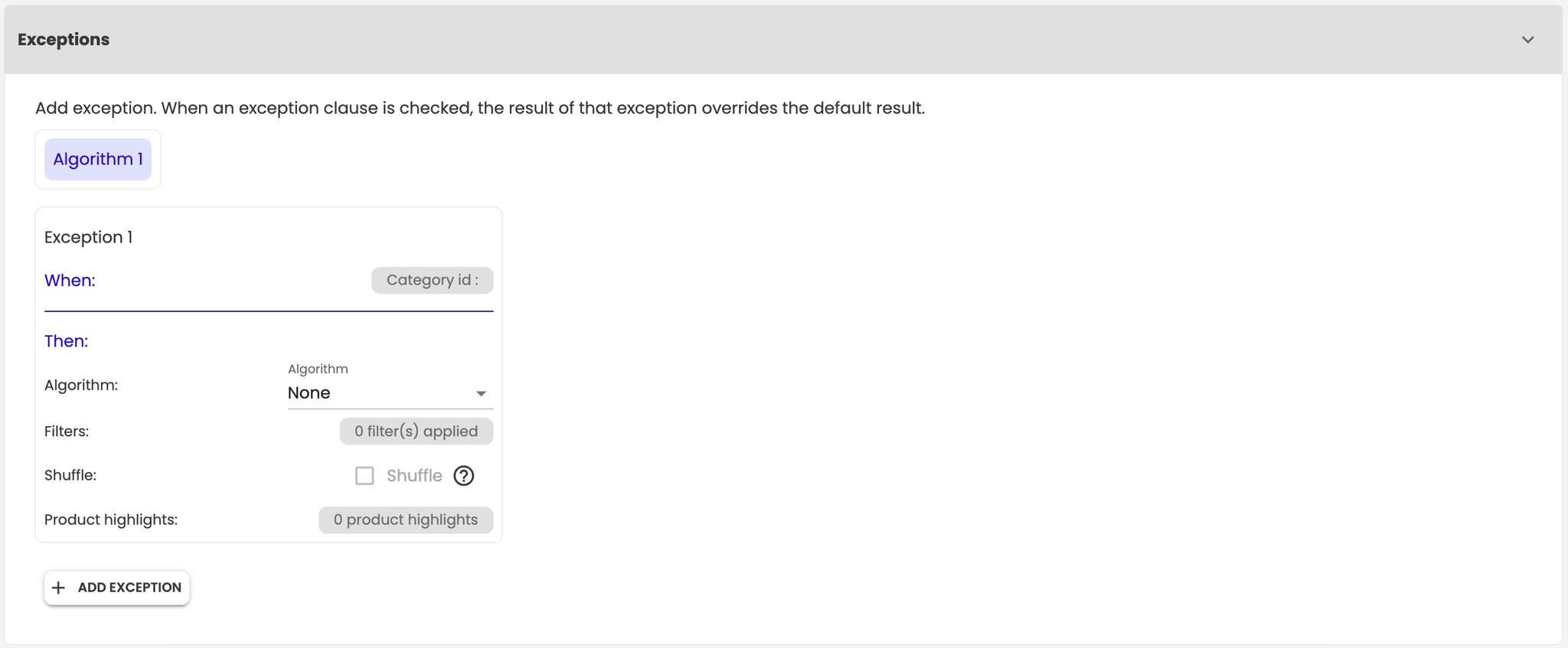
Exceptions allow you to define specific conditions that override the default results.
**Structure of an exception:**
1. **Clause:** Define the condition to trigger the exception.
2. **Algorithm:** Specify which algorithm to use.
3. **Filters:** Apply relevant filters.
4. **Shuffle:** Decide whether to shuffle products.
5. **Promoted Products:** Highlight specific products within the exception.
**To add an exception:** click on the **+ Add a Condition** button.
## Configure Additional Options
Options vary based on the selected page and include:
1. **Exclude products added to the cart:** Prevents products already in the cart from appearing in recommendations.
2. **Exclude the viewed product:** Prevents the currently viewed product from being displayed.
3. **Set a fixed number of products:** Ensures a specific number of products in the final result.

## Preview and Save Your Work
1. Click the **Preview** button in the header to see how your configuration will appear.
2. Once satisfied, click the Save button to apply your changes.
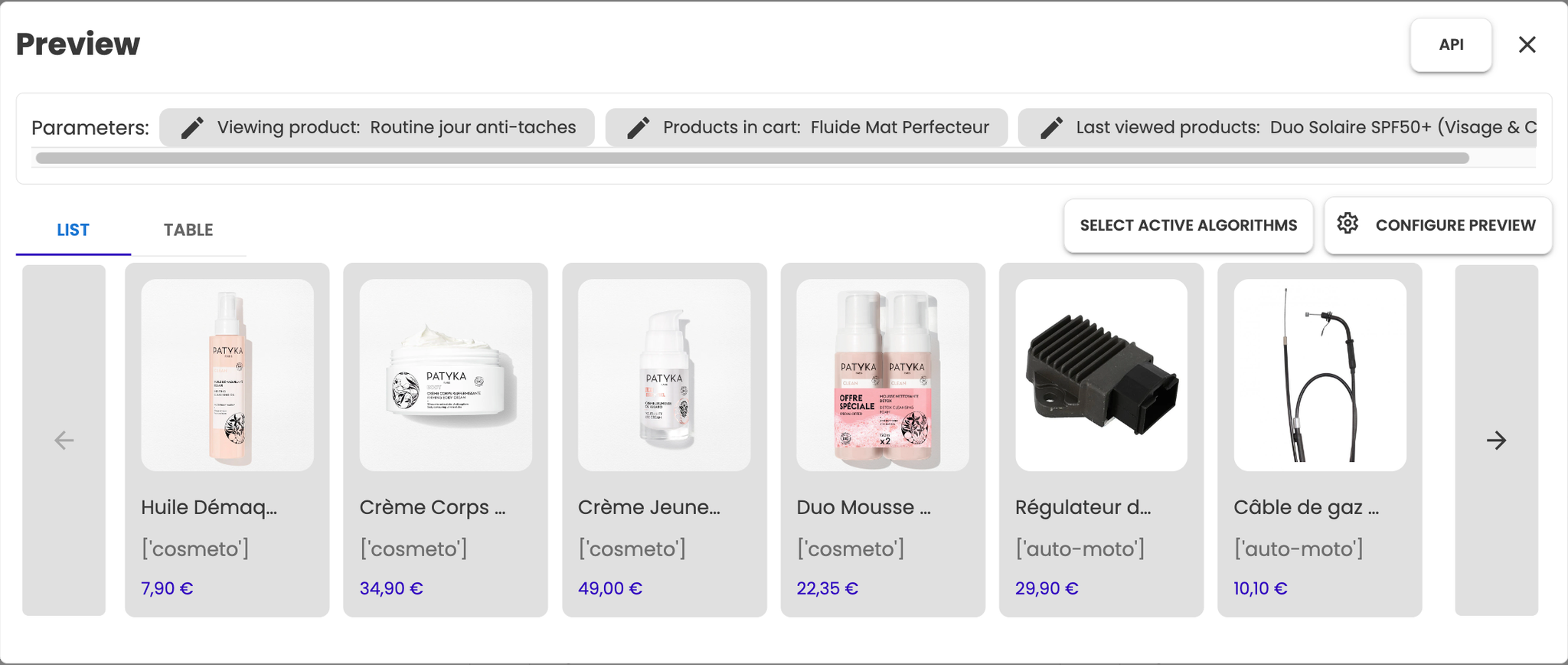
By following these steps, you can easily create and fine-tune algorithms to meet your specific needs.
---
# Agent Instructions
This documentation is published with GitBook. GitBook is the documentation platform designed so that both humans and AI agents can read, navigate, and reason over technical content effectively. Learn more at gitbook.com.
## Querying This Documentation
If you need additional information that is not directly available in this page, you can query the documentation dynamically by asking a question.
Perform an HTTP GET request on the current page URL with the `ask` query parameter, and the optional `goal` query parameter:
```
GET https://docs.abtasty.com/recommendations-and-merchandising_deprecated/recos-and-merch-algorythms/how-to-create-your-algorithms.md?ask=&goal=
```
`ask` is the immediate question: it should be specific, self-contained, and written in natural language.
`goal` is optional and describes the broader end goal you are ultimately trying to accomplish on behalf of the user. GitBook uses it to tailor the answer towards what is most useful for that goal.
The response will contain a direct answer to the question and relevant excerpts and sources from the documentation.
Use this mechanism when the answer is not explicitly present in the current page, you need clarification or additional context, or you want to retrieve related documentation sections.
