> For the complete documentation index, see [llms.txt](https://docs.abtasty.com/llms.txt). Markdown versions of documentation pages are available by appending `.md` to page URLs; this page is available as [Markdown](https://docs.abtasty.com/web-experimentation-and-personalization/campaign-creation-and-dashboard/the-comment-section-of-the-campaign-creation-flow.md).
# The "Comment" section of the campaign creation flow
The Comment feature allows you and all stakeholders to communicate on your campaigns. This will facilitate collaboration with your colleagues (when working on common campaigns) and help you keep track of key information inside AB Tasty.
You can access the Comment feature by clicking on any **test or personalization campaign**. All comments are managed at campaign level.
The comment menu is located in the upper-right corner of your campaign’s creation flow (except the Visual editor) and in the reporting.
The number of comments posted in your campaign will be displayed next to the comment button. A red icon indicates what there are unread comments. You can list them by clicking on the Comments button.
 You can post comments as internal notes or to send a comment to someone and notify them. This can be done by tagging them in your comments using the ‘**@**’ sign followed by their name. The tagged user will also receive an email notifying them that they have been tagged in a comment post. The email contains a URL link that redirects the user to the step where the comment has been posted.
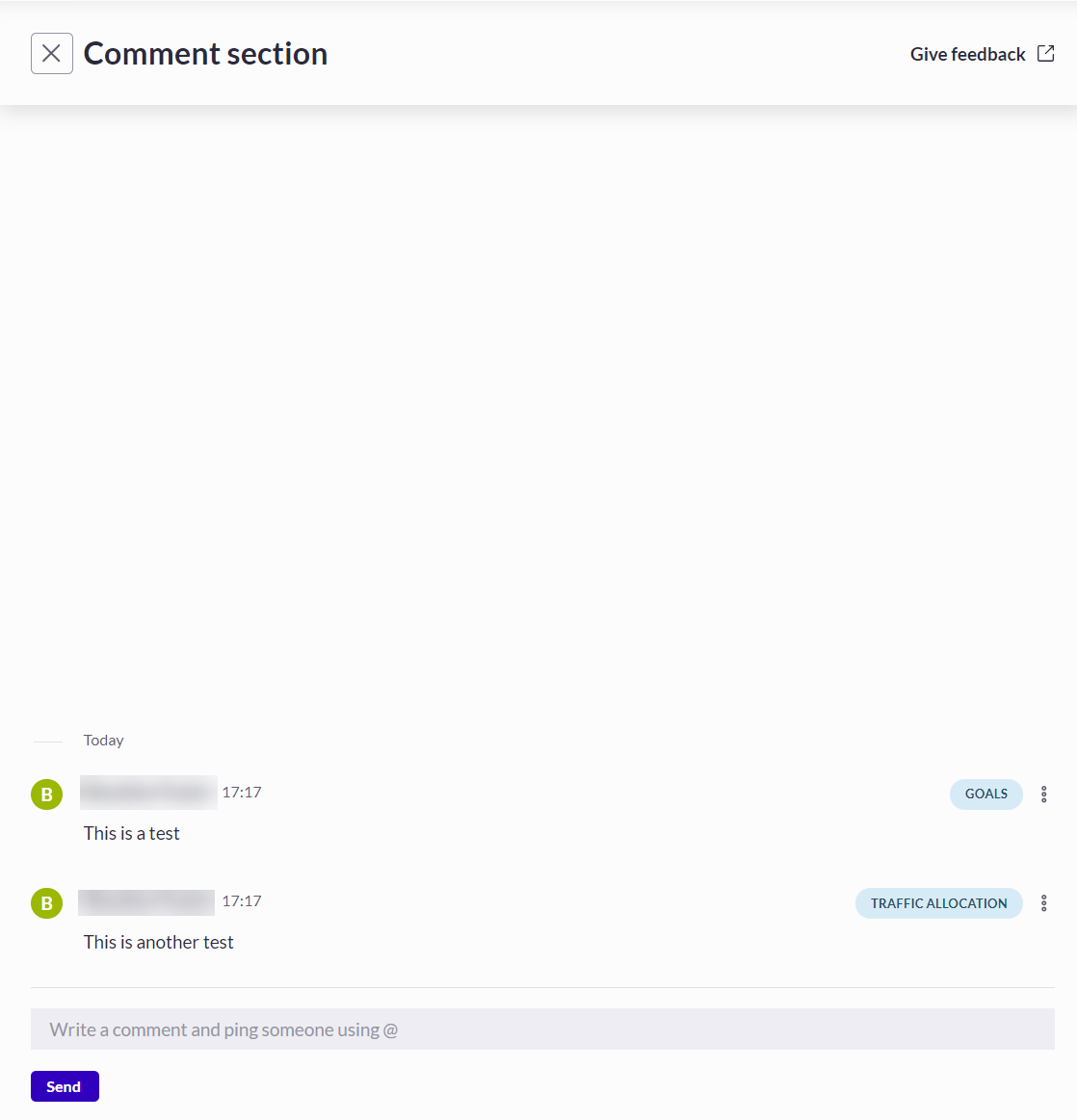 Comments can also be deleted. While the comment’s content will be deleted, the event will remain in the comment history.
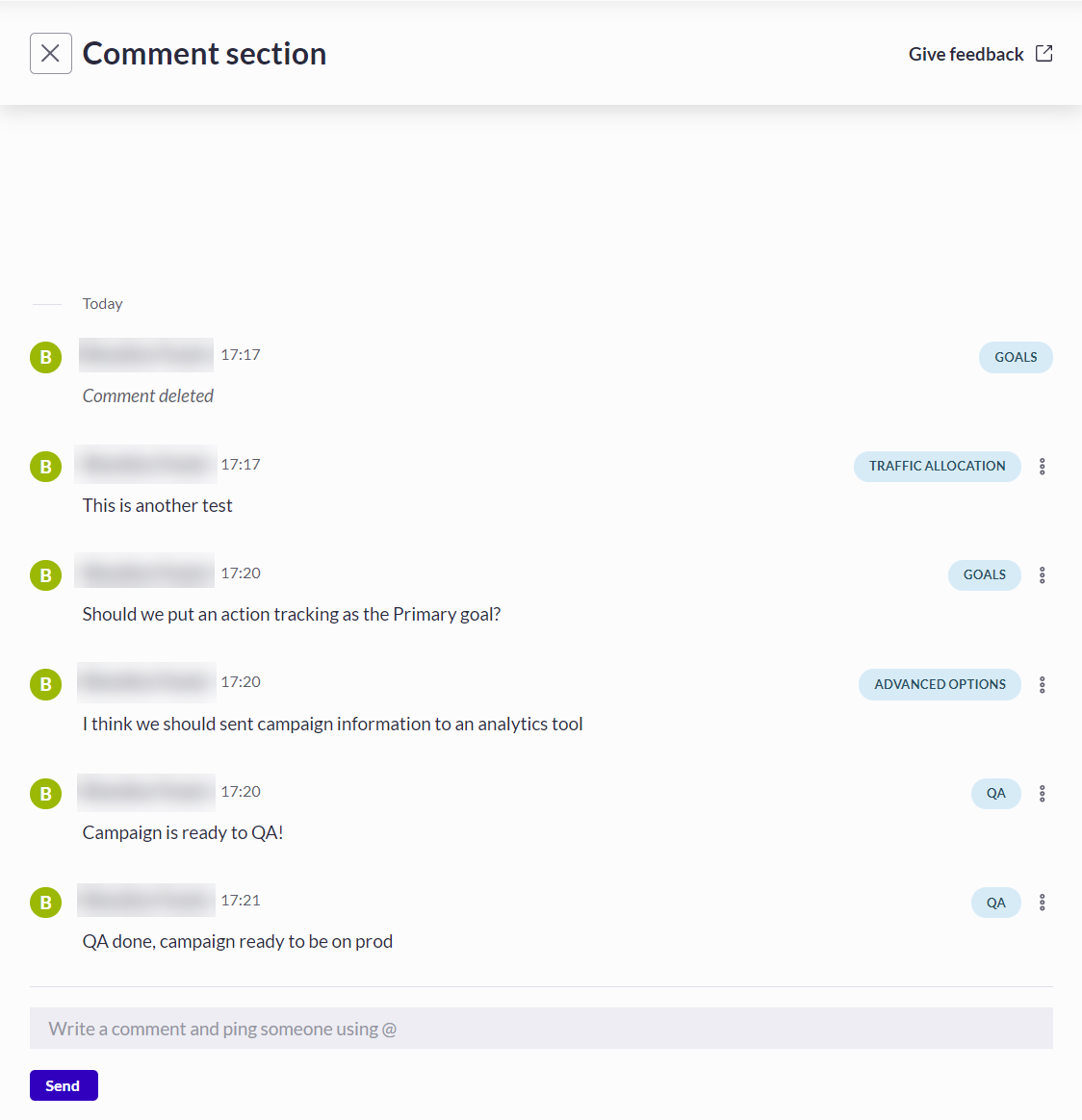
The Comments button is available is all the sections of the campaign setup. The section from which a comment is added is displayed on the right of the comment panel, as shown in the screenshot below.
Comments can also be deleted. While the comment’s content will be deleted, the event will remain in the comment history.
The Comments button is available is all the sections of the campaign setup. The section from which a comment is added is displayed on the right of the comment panel, as shown in the screenshot below.
 Unposted comments are saved so that you can review and post them later.
---
# Agent Instructions
This documentation is published with GitBook. GitBook is the documentation platform designed so that both humans and AI agents can read, navigate, and reason over technical content effectively. Learn more at gitbook.com.
## Querying This Documentation
If you need additional information that is not directly available in this page, you can query the documentation dynamically by asking a question.
Perform an HTTP GET request on the current page URL with the `ask` query parameter, and the optional `goal` query parameter:
```
GET https://docs.abtasty.com/web-experimentation-and-personalization/campaign-creation-and-dashboard/the-comment-section-of-the-campaign-creation-flow.md?ask=&goal=
```
`ask` is the immediate question: it should be specific, self-contained, and written in natural language.
`goal` is optional and describes the broader end goal you are ultimately trying to accomplish on behalf of the user. GitBook uses it to tailor the answer towards what is most useful for that goal.
The response will contain a direct answer to the question and relevant excerpts and sources from the documentation.
Use this mechanism when the answer is not explicitly present in the current page, you need clarification or additional context, or you want to retrieve related documentation sections.
Unposted comments are saved so that you can review and post them later.
---
# Agent Instructions
This documentation is published with GitBook. GitBook is the documentation platform designed so that both humans and AI agents can read, navigate, and reason over technical content effectively. Learn more at gitbook.com.
## Querying This Documentation
If you need additional information that is not directly available in this page, you can query the documentation dynamically by asking a question.
Perform an HTTP GET request on the current page URL with the `ask` query parameter, and the optional `goal` query parameter:
```
GET https://docs.abtasty.com/web-experimentation-and-personalization/campaign-creation-and-dashboard/the-comment-section-of-the-campaign-creation-flow.md?ask=&goal=
```
`ask` is the immediate question: it should be specific, self-contained, and written in natural language.
`goal` is optional and describes the broader end goal you are ultimately trying to accomplish on behalf of the user. GitBook uses it to tailor the answer towards what is most useful for that goal.
The response will contain a direct answer to the question and relevant excerpts and sources from the documentation.
Use this mechanism when the answer is not explicitly present in the current page, you need clarification or additional context, or you want to retrieve related documentation sections.