> For the complete documentation index, see [llms.txt](https://docs.abtasty.com/llms.txt). Markdown versions of documentation pages are available by appending `.md` to page URLs; this page is available as [Markdown](https://docs.abtasty.com/web-experimentation-and-personalization/editors-and-widget/list-of-widgets/ab-tasty-prebuilt-widgets/snowflake-animation-widget.md).
# Snowflake Animation Widget
The Snowflake Animation widget is part of the **Special** widget category. For more information on the widgets, please refer to [Widgets configuration in the visual editor](/web-experimentation-and-personalization/editors-and-widget/list-of-widgets/widgets-configuration-in-the-visual-editor.md).
## Introduction
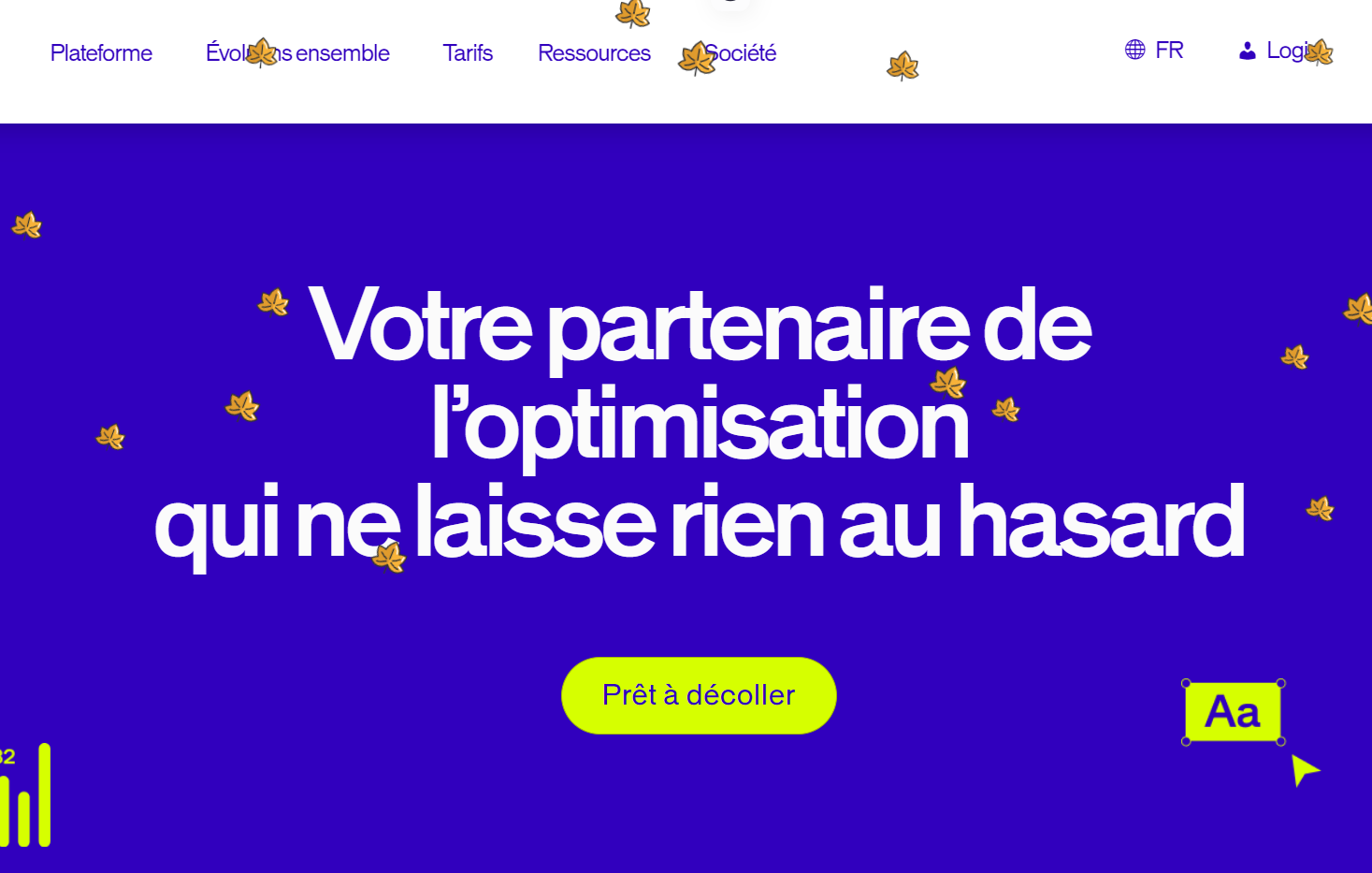
The Snowflake Animation widget enables you to simulate snow falling on any element of the web page with an icon of your choice.
It can be useful to add playfulness to your website during a specific time of year (Christmas, Halloween, Thanksgiving, Valentine's Day, your company anniversary and so on) or to highlight a specific section of the page.
 ## Configuration
### Layout tab
1. Select the element of the page on which you want the icons to fall.
2. Define the position of the widget compared to the layer. You can choose to have your icons fall above or under the layer, or to customize their position.
### Content tab
Enter the number of icons you want to fall on your element or page (up to 200).
Two options are available to configure your widget:
* Select an icon among the default icons offered by AB Tasty\
or
* Upload your own image by uploading it from your browser or by entering the image path.
### Style tab
Select the style options (Icon size, Average animation duration, Animation direction, Icon rotation during animation) you want to apply to your widget.
### Condition tab
## Configuration
### Layout tab
1. Select the element of the page on which you want the icons to fall.
2. Define the position of the widget compared to the layer. You can choose to have your icons fall above or under the layer, or to customize their position.
### Content tab
Enter the number of icons you want to fall on your element or page (up to 200).
Two options are available to configure your widget:
* Select an icon among the default icons offered by AB Tasty\
or
* Upload your own image by uploading it from your browser or by entering the image path.
### Style tab
Select the style options (Icon size, Average animation duration, Animation direction, Icon rotation during animation) you want to apply to your widget.
### Condition tab
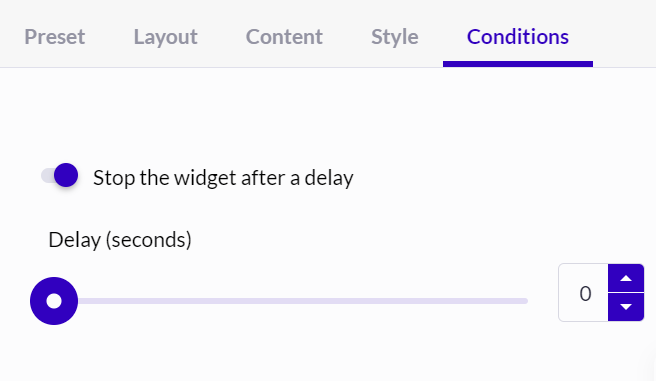 You can choose to stop the animation after a certain amount of time (delay) after the loading of the targeted page. To do this, toggle the “Stop the widget after a delay” toggle and use the scale or the empty field to declare the number of seconds to be reached before stopping the animation.
---
# Agent Instructions
This documentation is published with GitBook. GitBook is the documentation platform designed so that both humans and AI agents can read, navigate, and reason over technical content effectively. Learn more at gitbook.com.
## Querying This Documentation
If you need additional information that is not directly available in this page, you can query the documentation dynamically by asking a question.
Perform an HTTP GET request on the current page URL with the `ask` query parameter, and the optional `goal` query parameter:
```
GET https://docs.abtasty.com/web-experimentation-and-personalization/editors-and-widget/list-of-widgets/ab-tasty-prebuilt-widgets/snowflake-animation-widget.md?ask=&goal=
```
`ask` is the immediate question: it should be specific, self-contained, and written in natural language.
`goal` is optional and describes the broader end goal you are ultimately trying to accomplish on behalf of the user. GitBook uses it to tailor the answer towards what is most useful for that goal.
The response will contain a direct answer to the question and relevant excerpts and sources from the documentation.
Use this mechanism when the answer is not explicitly present in the current page, you need clarification or additional context, or you want to retrieve related documentation sections.
You can choose to stop the animation after a certain amount of time (delay) after the loading of the targeted page. To do this, toggle the “Stop the widget after a delay” toggle and use the scale or the empty field to declare the number of seconds to be reached before stopping the animation.
---
# Agent Instructions
This documentation is published with GitBook. GitBook is the documentation platform designed so that both humans and AI agents can read, navigate, and reason over technical content effectively. Learn more at gitbook.com.
## Querying This Documentation
If you need additional information that is not directly available in this page, you can query the documentation dynamically by asking a question.
Perform an HTTP GET request on the current page URL with the `ask` query parameter, and the optional `goal` query parameter:
```
GET https://docs.abtasty.com/web-experimentation-and-personalization/editors-and-widget/list-of-widgets/ab-tasty-prebuilt-widgets/snowflake-animation-widget.md?ask=&goal=
```
`ask` is the immediate question: it should be specific, self-contained, and written in natural language.
`goal` is optional and describes the broader end goal you are ultimately trying to accomplish on behalf of the user. GitBook uses it to tailor the answer towards what is most useful for that goal.
The response will contain a direct answer to the question and relevant excerpts and sources from the documentation.
Use this mechanism when the answer is not explicitly present in the current page, you need clarification or additional context, or you want to retrieve related documentation sections.