> For the complete documentation index, see [llms.txt](https://docs.abtasty.com/llms.txt). Markdown versions of documentation pages are available by appending `.md` to page URLs; this page is available as [Markdown](https://docs.abtasty.com/recommendations-and-merchandising/how-tos/how-to-create-a-template-of-recommendation.md).
# How to create a template of recommendation
{% hint style="info" %}
#### Prerequisite
To activate the feature , you should ask your abtasty team to enable this feature on your account.
{% endhint %}
***
{% stepper %}
{% step %}
#### Create a template
Go to **Templates → Add Template**.\
A default template is created automatically.
You can then edit it by clicking the ✏️ icon next to its name.
{% endstep %}
{% step %}
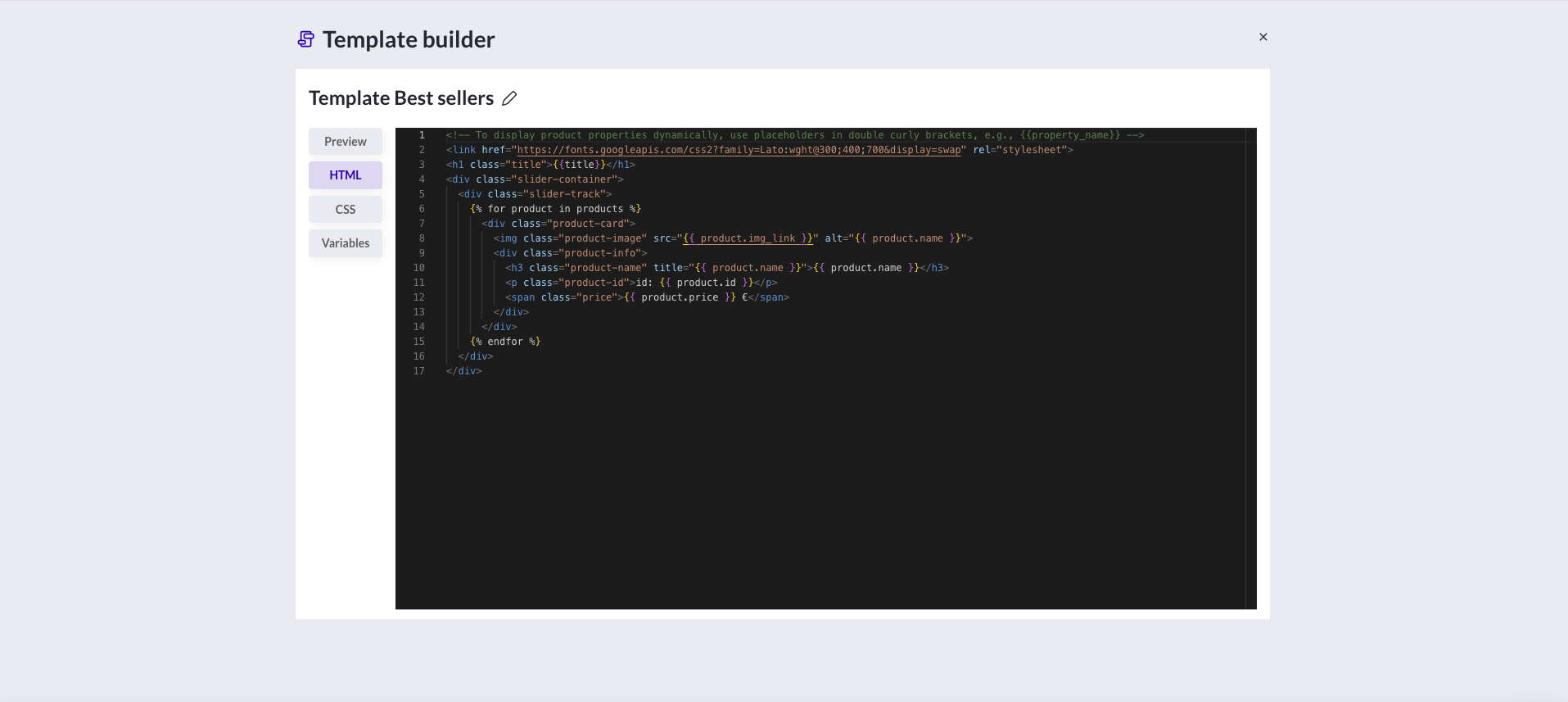
#### Edit the HTML
In the **HTML tab**, you write your layout using [Jinja2](https://jinja.palletsprojects.com/en/stable/templates/) syntax.\
It allows you to loop over your recommendation results and inject product properties.
Example :
```html
```
**How to read this example ?**
* The block between `{% for product in products %}` and `{% endfor %}` is **repeated automatically** for each recommended product.
* Words inside `{{ ... }}` are **placeholders** that get replaced by the real product data (like the product name, image, price, or link).
* You can use **any field from your product catalog** — for example:\
`{{ product.name }}`, `{{ product.brand }}`, `{{ product.category }}`, `{{ product.price }}`, etc.
**Pro Tip :**
* **If you're using this for a website, make sure to keep these aattributes in your HTML :** \
`data-reco-id`, `data-item-id`, `data-reco-click`\
They’re used to track clicks and views automatically in your analytics.
* If you are using email templates, use `
` structure for better client compatibility.
{% endstep %}
{% step %}
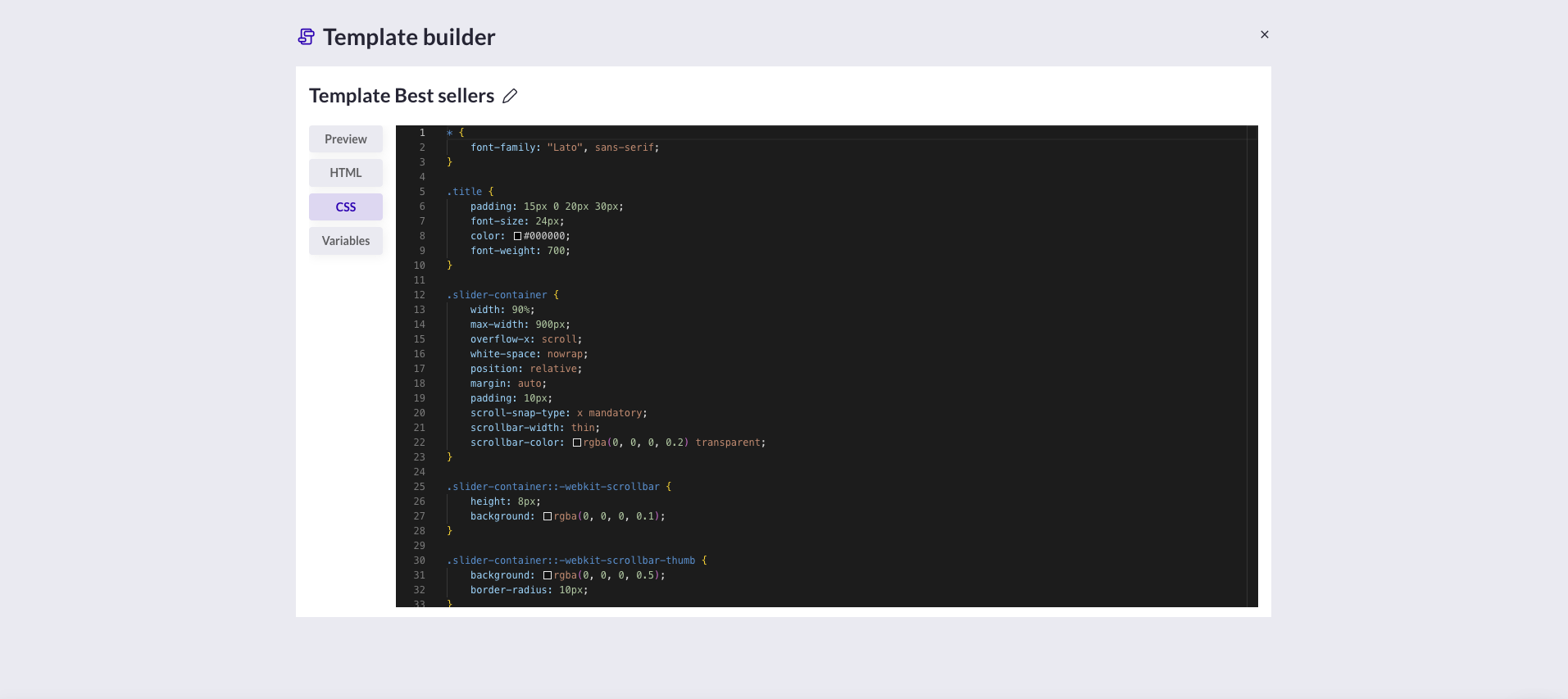
### Add CSS
In the **CSS tab**, add your styles.\
They are injected inline into the HTML when rendered.
Example :
```css
.product-card {
font-family: 'Lato', sans-serif;
display: inline-block;
width: 160px;
text-align: center;
}
.price {
color: var(--priceColor);
font-weight: 700;
}
```
{% endstep %}
{% step %}
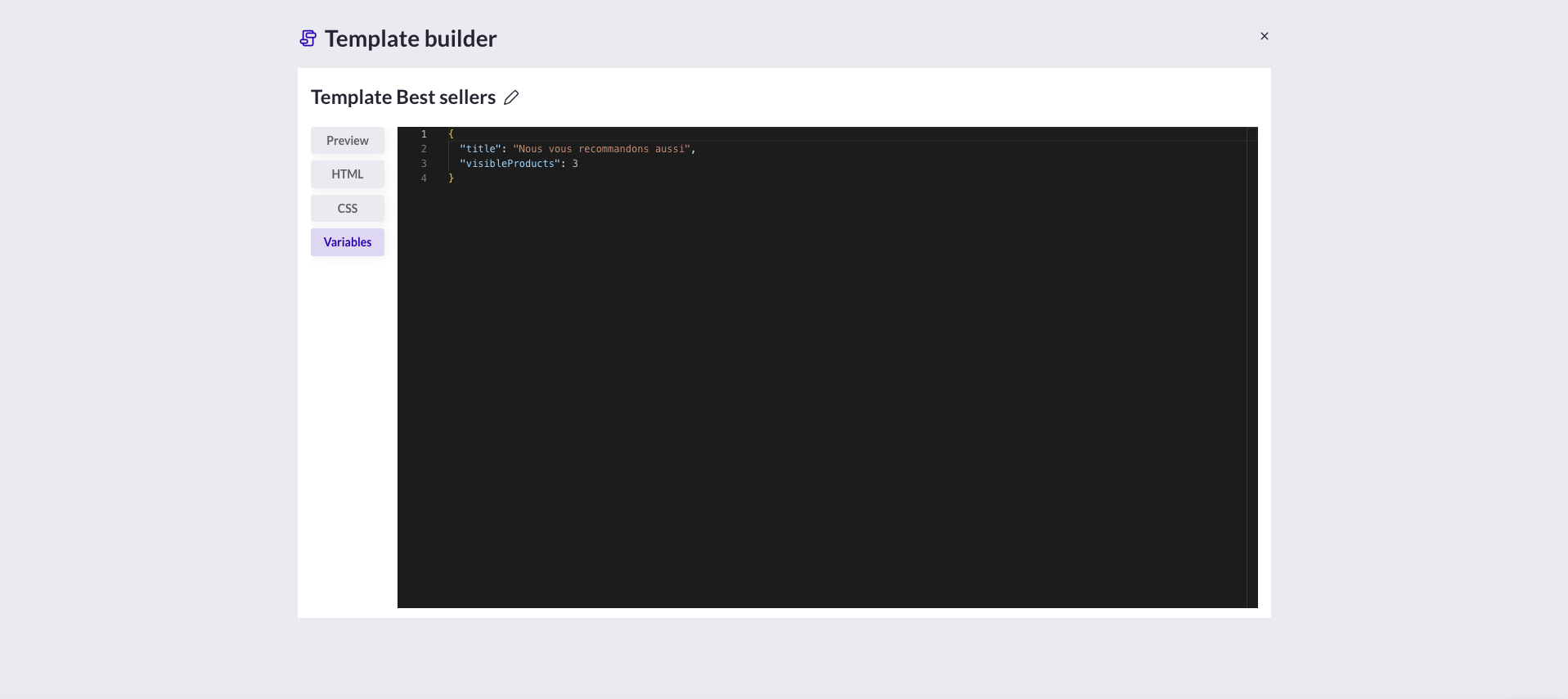
### Define Params
Params are variables you can reuse in HTML (`{{ variableName }}`) or CSS (`var(--variableName)`),\
making it easy to change a color, title, or text without touching the code.
Example :
| Param | Default Value | Description |
| ------------- | ------------------- | ------------ |
| `title` | “You may also like” | Banner title |
| `priceColor` | `#FF3366` | Price color |
| `buttonText` | “Buy now” | CTA text |
| {% endstep %} | | |
{% step %}
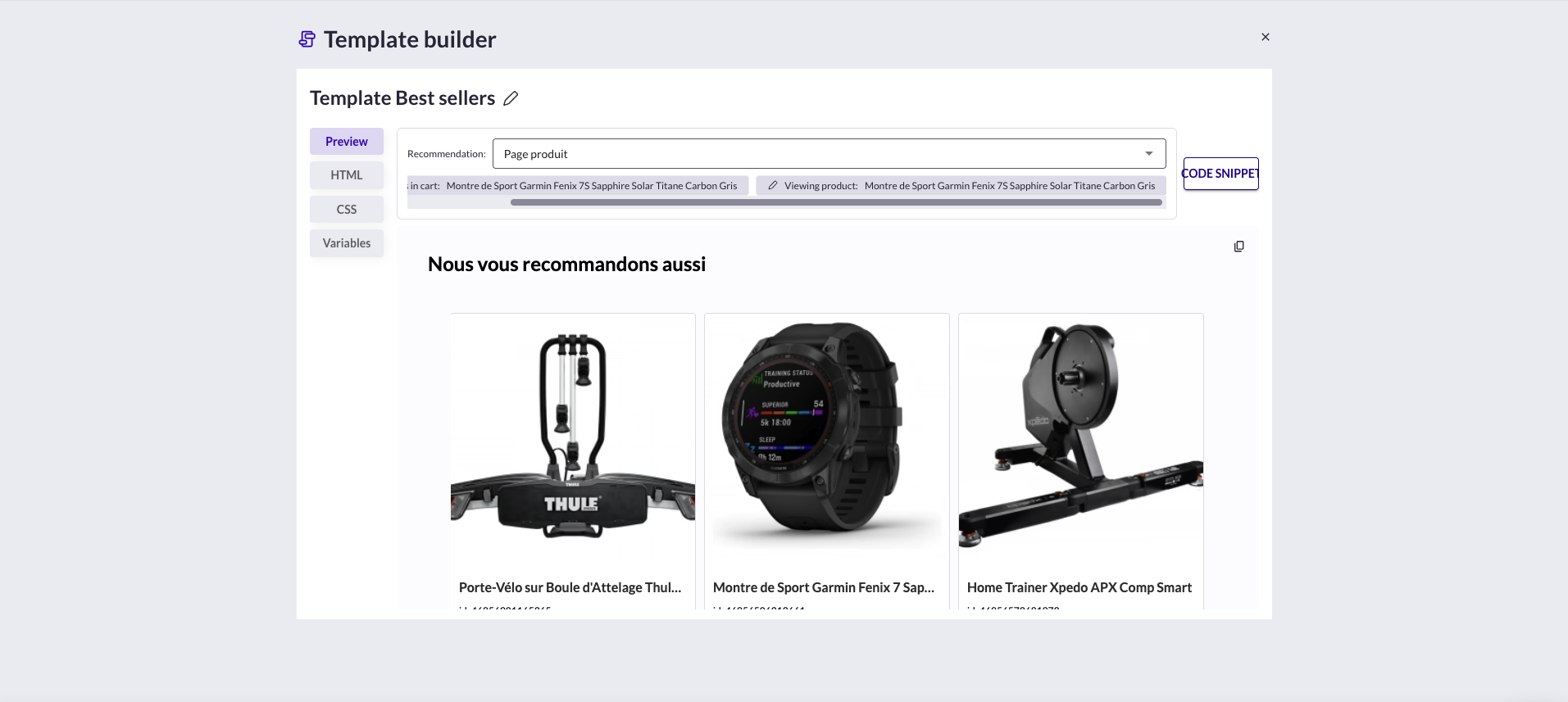
### Preview & Test
The **Preview tab** renders your template with any recommendation strategy.\
You can:
* View how it looks with real product data
* Copy the generated HTML via the 📋 icon
* See all **API calls** to retrieve it via the 🔗 button
{% endstep %}
{% step %}
### (If needed) Calling a templated recommendation via API
Once your template is ready, you can **retrieve the final rendered HTML directly from the API**.\
This is especially useful if you want to use R\&M outside of the web widget context - for example in an **email**, a **CRM campaign**, or a **custom CMS**.
Each request returns a **fully rendered HTML banner**, ready to be embedded wherever you need it.
**Base endpoint :**
```
GET https://uc-info.eu.abtasty.com/v1/reco/{site_id}/template/{template_id}/recos/{strategy_id}
```
* **site\_id** → your AB Tasty site ID
* **template\_id** → the ID of your created template
* **strategy\_id** → the ID of your recommendation strategy
There is 3 ways to call Templated recommendation by API :
| Channel | Language | Example use case |
| ------------------------------- | -------------------- | ------------------------------------------------ |
| Email / CRM | **cURL** | Fetch HTML for daily campaigns |
| Website / Headless / Mobile App | **JavaScript Fetch** | Display real-time banners on the site |
| Automation / Back-office / | **Python** | Generate and store dynamic content automatically |
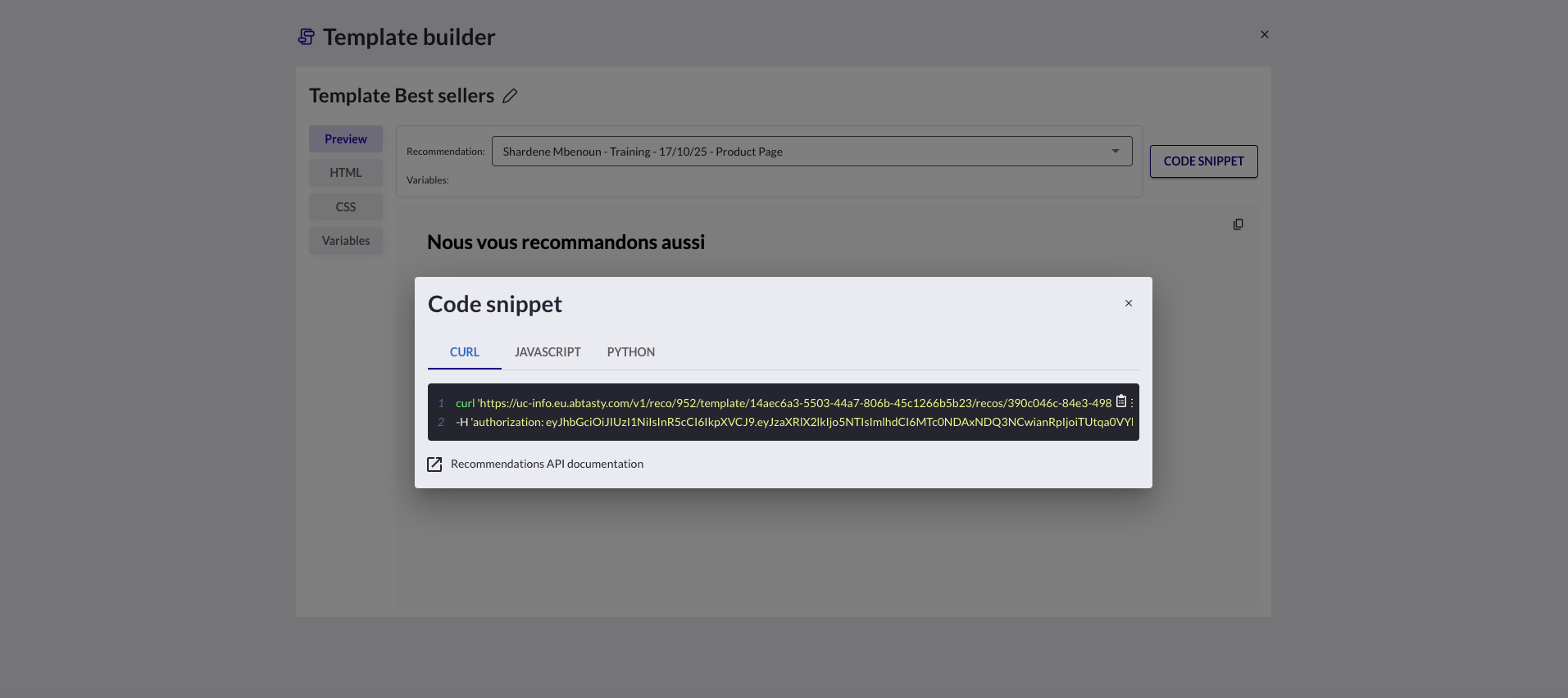
#### **Method 1 : cURL (Marketing Automation / Email tools)**
Use this if you want to **fetch a pre-rendered banner and inject it into a CRM or ESP (email)** like Splio, Brevo, or Salesforce Marketing Cloud.
```
curl 'https://uc-info.eu.abtasty.com/v1/reco/952/template/14aec6a3-5503-44a7-806b-45c1266b5b23/recos/390c046c-84e3-498d-a3ae-b050a6fdd8c9' \
-H 'authorization: eyJhbGciOiJIUzI1NiIsInR5cCI6IkpXVCJ9.eyJzaXRlX2lkIjo5NTIsImlhdCI6MTc0NDAxNDQ3NCwianRpIjoiTUtqa0VYbWhCYVdCN0NaMUZqUDlZekZoakE5YWpOcy05NUUxeDRPQ1J1dyJ9.PP_Qx28V777Zsu3q94qsDGhWZL3UoOhgTpg49cnqR1c'
```
**Use case:**\
Your CRM can call this endpoint each morning to dynamically inject “Top sellers of the week” into your email campaign.\
The response returns **pure HTML** — no extra processing needed
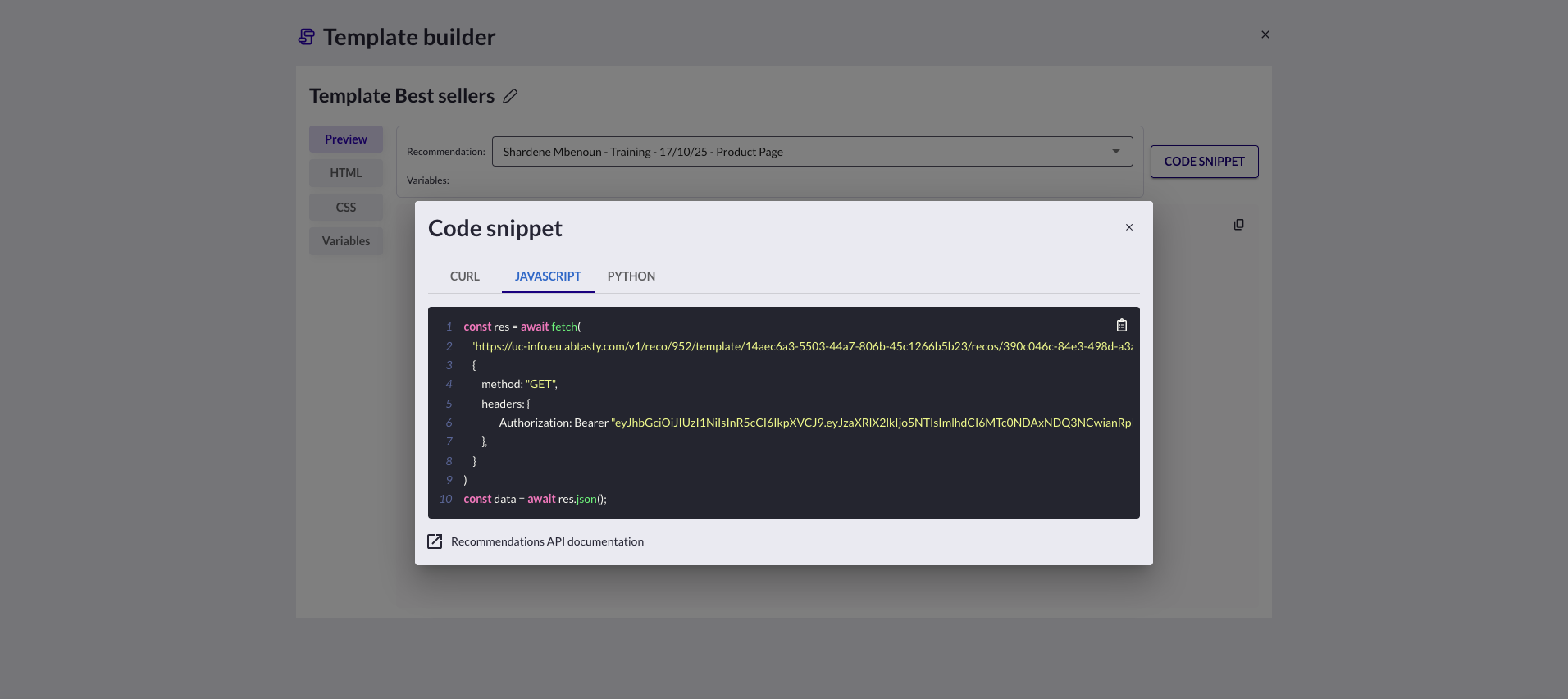
#### **Method 2 — JavaScript Fetch (Frontend or Headless CMS)**
Use this if you want to **dynamically display recommendations on your website** (e.g., in a custom CMS, a landing page, or a headless setup).
```
const res = await fetch(
'https://uc-info.eu.abtasty.com/v1/reco/952/template/14aec6a3-5503-44a7-806b-45c1266b5b23/recos/390c046c-84e3-498d-a3ae-b050a6fdd8c9',
{
method: "GET",
headers: {
Authorization: `Bearer eyJhbGciOiJIUzI1NiIsInR5cCI6IkpXVCJ9.eyJzaXRlX2lkIjo5NTIsImlhdCI6MTc0NDAxNDQ3NCwianRpIjoiTUtqa0VYbWhCYVdCN0NaMUZqUDlZekZoakE5YWpOcy05NUUxeDRPQ1J1dyJ9.PP_Qx28V777Zsu3q94qsDGhWZL3UoOhgTpg49cnqR1c`
},
}
)
const data = await res.text(); // Returns HTML string
document.querySelector("#reco-banner").innerHTML = data;
const res = await fetch(
'https://uc-info.eu.abtasty.com/v1/reco/952/template/14aec6a3-5503-44a7-806b-45c1266b5b23/recos/390c046c-84e3-498d-a3ae-b050a6fdd8c9',
{
method: "GET",
headers: {
Authorization: `Bearer eyJhbGciOiJIUzI1NiIsInR5cCI6IkpXVCJ9.eyJzaXRlX2lkIjo5NTIsImlhdCI6MTc0NDAxNDQ3NCwianRpIjoiTUtqa0VYbWhCYVdCN0NaMUZqUDlZekZoakE5YWpOcy05NUUxeDRPQ1J1dyJ9.PP_Qx28V777Zsu3q94qsDGhWZL3UoOhgTpg49cnqR1c`
},
}
)
const data = await res.text(); // Returns HTML string
document.querySelector("#reco-banner").innerHTML = data;
```
**Use case:**\
Your site’s CMS can request the HTML block at page load and directly **inject it into a section like “Recommended for you”** — no need to reimplement the design or logic.
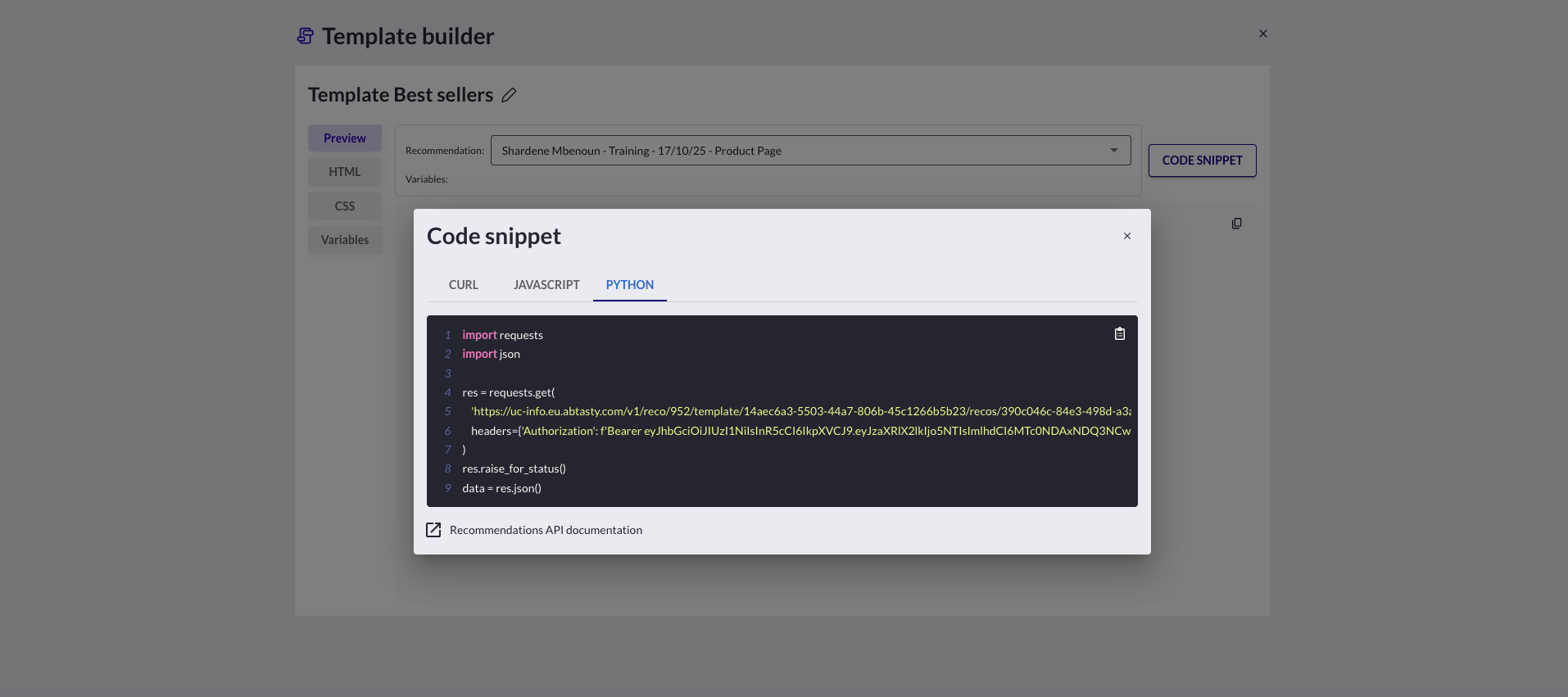
#### Method 3 — Python (Data Pipelines / Internal Automations)
Use this for **automated reporting or back-office scripts**, e.g., to store rendered HTML in a database or send it to another system.
```
import requests
import json
res = requests.get(
'https://uc-info.eu.abtasty.com/v1/reco/952/template/14aec6a3-5503-44a7-806b-45c1266b5b23/recos/390c046c-84e3-498d-a3ae-b050a6fdd8c9',
headers={'Authorization': 'Bearer eyJhbGciOiJIUzI1NiIsInR5cCI6IkpXVCJ9.eyJzaXRlX2lkIjo5NTIsImlhdCI6MTc0NDAxNDQ3NCwianRpIjoiTUtqa0VYbWhCYVdCN0NaMUZqUDlZekZoakE5YWpOcy05NUUxeDRPQ1J1dyJ9.PP_Qx28V777Zsu3q94qsDGhWZL3UoOhgTpg49cnqR1c'}
)
res.raise_for_status()
data = res.text
```
**Use case examples**
* A **Python backend** fetches the HTML daily and stores it in your CMS or app API.
* A **data pipeline** generates personalized content for push notifications or app home banners.
* A **serverless function** preloads rendered blocks and returns them instantly to mobile clients.
**Example response**
```
Our top picks for you
Product 1 – 49 €
Product 2 – 59 €
```
This HTML can be:
* inserted in a web page,
* pasted in an email template,
* or loaded inside a mobile WebView.
***
{% endstep %}
{% endstepper %}
---
# Agent Instructions
This documentation is published with GitBook. GitBook is the documentation platform designed so that both humans and AI agents can read, navigate, and reason over technical content effectively. Learn more at gitbook.com.
## Querying This Documentation
If you need additional information that is not directly available in this page, you can query the documentation dynamically by asking a question.
Perform an HTTP GET request on the current page URL with the `ask` query parameter, and the optional `goal` query parameter:
```
GET https://docs.abtasty.com/recommendations-and-merchandising/how-tos/how-to-create-a-template-of-recommendation.md?ask=&goal=
```
`ask` is the immediate question: it should be specific, self-contained, and written in natural language.
`goal` is optional and describes the broader end goal you are ultimately trying to accomplish on behalf of the user. GitBook uses it to tailor the answer towards what is most useful for that goal.
The response will contain a direct answer to the question and relevant excerpts and sources from the documentation.
Use this mechanism when the answer is not explicitly present in the current page, you need clarification or additional context, or you want to retrieve related documentation sections.