# How to deploy recommendation with SFMC

To deploy a recommendation with SFMC, you need to configure the tool first. If you have already done so, you can move on to the next step.\
[https://app.gitbook.com/o/iFKI1JaxSfPoiGt4tT2k/s/6Yw9IRJ6KbbucQPwZUCZ/\~/changes/368/recommendations-and-merchandising-1/how-tos/how-to-configure-your-email-integration/how-to-configure-sfmc-integration](/recommendations-and-merchandising/how-tos/how-to-configure-your-email-integration/how-to-configure-sfmc-integration.md)

{% stepper %}
{% step %}

### Prepare the Recommendation

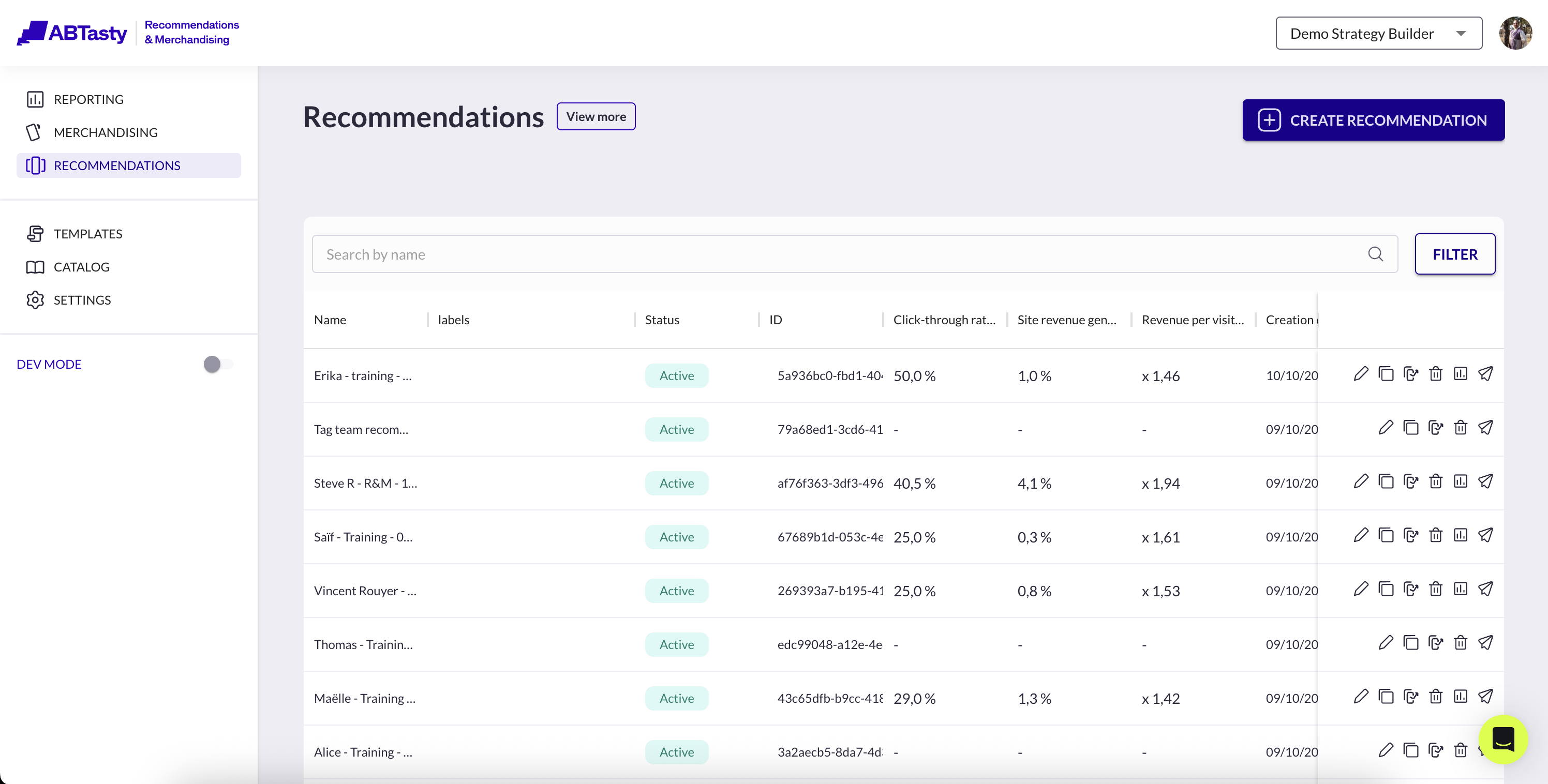
1. Click on  **Recommendations** <br>

   <figure><img src="/files/vzslsNcbxOIKjGPaK95V" alt=""><figcaption></figcaption></figure>
2. Click on **paper plane icon** in actions of the line, or click on edit recommendation then **deployment settings** button at the bottom right of the page
   {% endstep %}

{% step %}

### Select or Create a Recommendation Template

1. You need to associate a **recommendation template**.
2. If no suitable template exists, you can create a new one in the **Templates** section.

<figure><img src="/files/2uKJo3CGiLYmtEMPoXXr" alt=""><figcaption></figcaption></figure>

{% hint style="danger" %}
If the interface shows the message *“Template functionality is not enabled”*, please contact the AB Tasty team to enable template access.

![](/files/xBcXg3krKAPTNg91s71k)
{% endhint %}
{% endstep %}

{% step %}

### Add the Code Snippet in SFMC

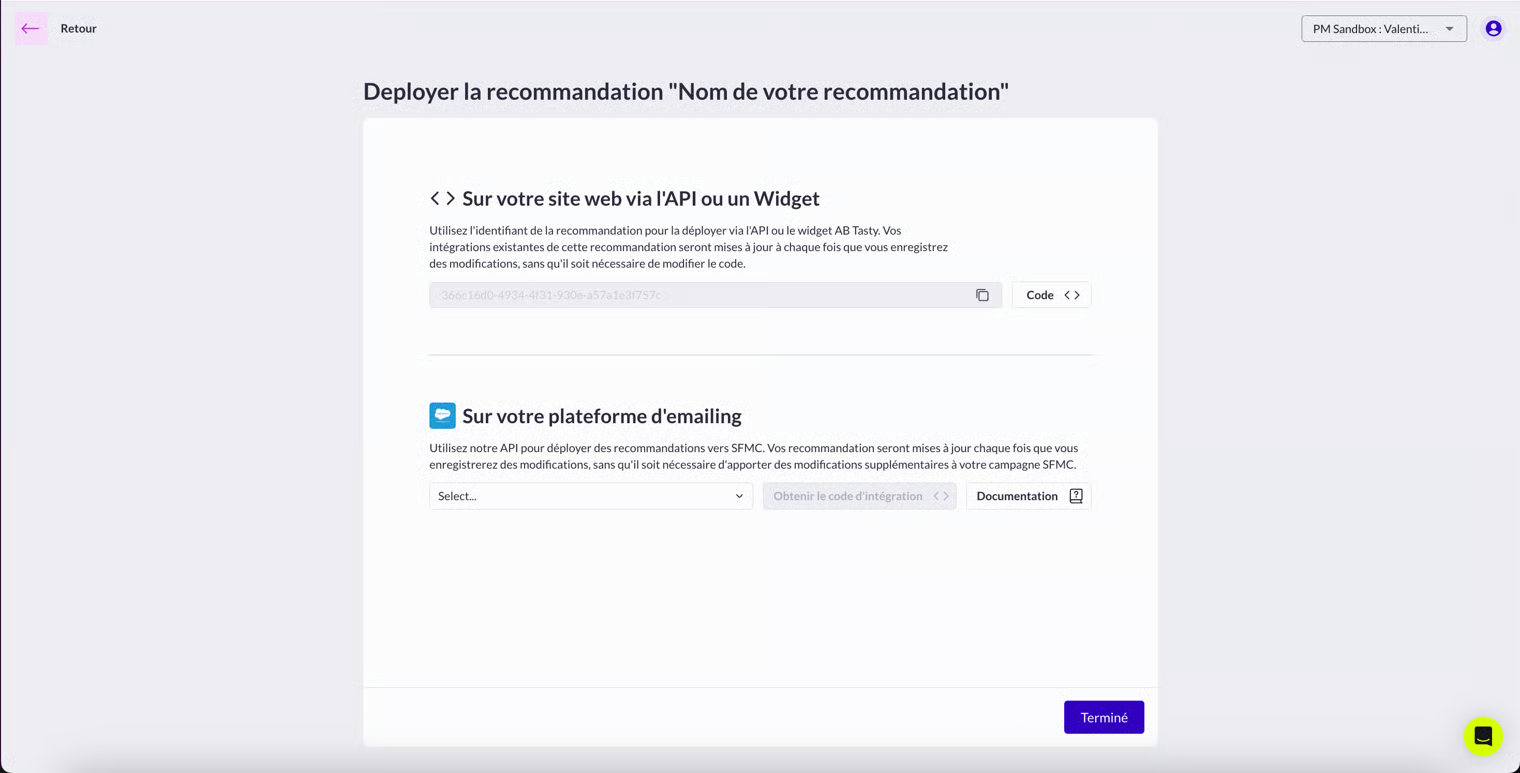
1. Click on **Get integration snippet** button
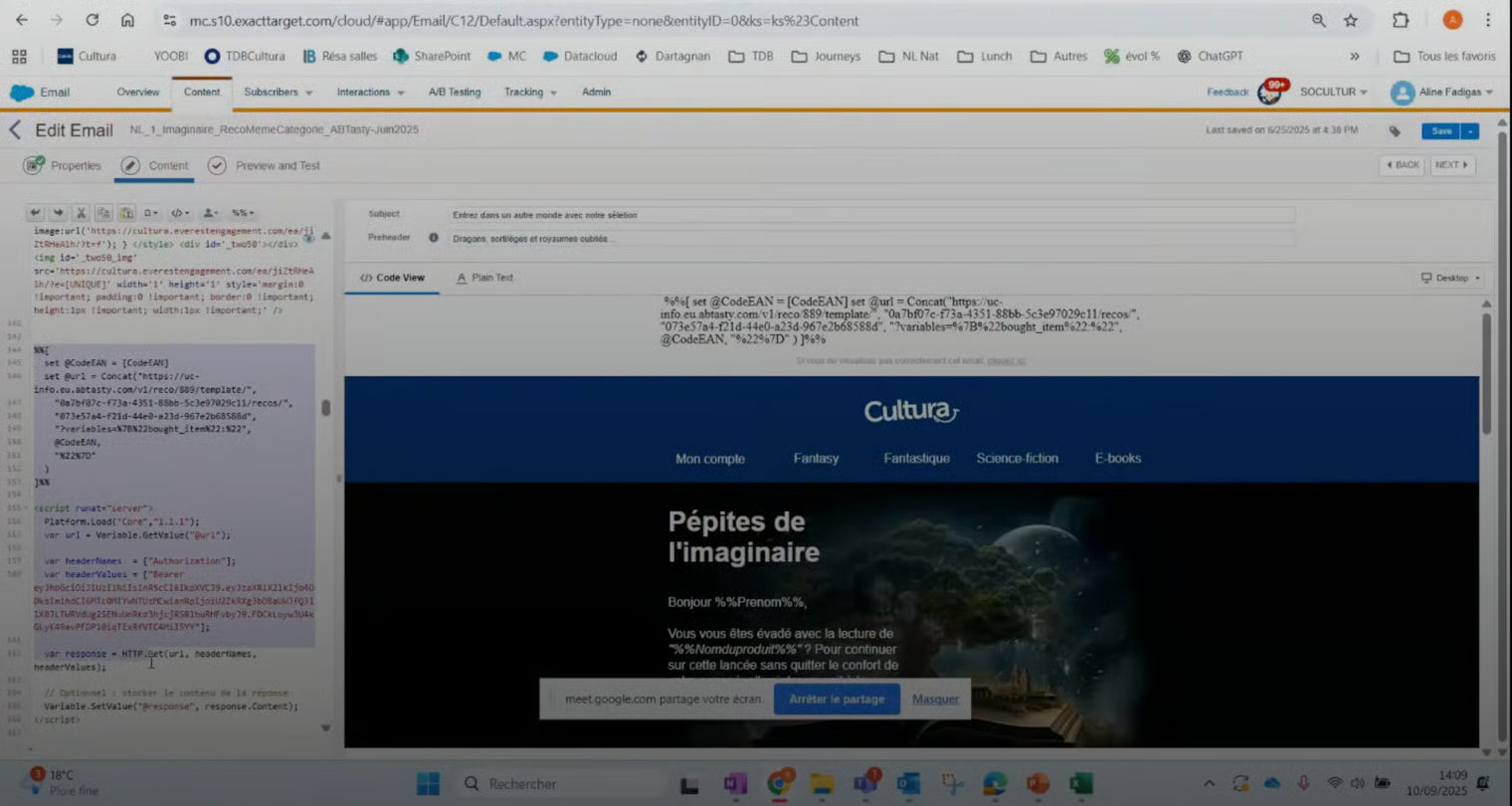
2. Copy-paste the AMPscript snippet example below into your SFMC email:&#x20;

```
%%[
set @url = "https://uc-info.eu.abtasty.com/v1/reco/1010/template/3d815596-8f6e-4ed4-a373-89792a9a2e06/recos/366c16d0-4934-4f31-930e-a57a1e3f757c"

  Platform.Load("Core","1.1.1");
  var url = Variable.GetValue("@url");
  var headerNames   = ["Authorization"];
  var headerValues  = ["Bearer eyJhbGciOiJIUzI1NiIsInR5cCI6IkpXVCJ9.eyJzaXRlX2lkIjoxMDEwLCJpYXQiOjE3NDI0NzYzNzIsImp0aSI6IlhDczN3WVdXM0dIVHlRNmx0VXY1TTkzR2hXdDlDZGkyR3lhQnJwUEdacE0ifQ.n3OUVQJyyHUXR2zene-OA7VVb4hUJOnVlGQqfmc6tuw"];
  var response      = HTTP.Get(url, headerNames, headerValues);
  Variable.SetValue("@response", response.Content);
%%=TreatAsContent(@response)=%%
]%%
```

* **@url**: corresponds to the endpoint generated for your recommendation template.
* **Authorization**: insert the **Bearer token** provided by AB Tasty.
* The **@response** variable will store the dynamic recommendation and inject it into your email.

<figure><img src="/files/JZqIsP1Ld1zus807LAkR" alt=""><figcaption></figcaption></figure>

<figure><img src="/files/zmewoa6ILjzvGEi0i7s1" alt=""><figcaption></figcaption></figure>

{% endstep %}
{% endstepper %}

### Snippet structure

Below is a more complete example of the AMPscript code snippet

```ampscript
%%[
var @CodeEAN, @url
set @CodeEAN = [CodeEAN]
set @url = Concat(
  "https://uc-info.eu.abtasty.com/v1/reco/889/template/<TEMPLATE_ID>/recos/<RECO_ID>",
  "?variables=%7B%22bought_item%22:%22", @CodeEAN, "%22%7D"
)
]%%

<script runat="server">
  Platform.Load("Core","1.1.1");
  var url = Variable.GetValue("@url");
  var headerNames = ["Authorization"];
  var headerValues = ["Bearer <YOUR_BEARER_TOKEN>"];
  var response = HTTP.Get(url, headerNames, headerValues);
  Variable.SetValue("@response", response.Content);
</script>

%%=TreatAsContent(@response)=%%
```

This code execute the 3 steps below :

#### Step 1:  Build the URL with AMPScript

Use AMPScript (`%%[ ... ]%%`) to prepare the API request URL with dynamic variables from the Data Extension.

```ampscript
%%[
var @CodeEAN, @url

/* Retrieve CodeEAN from the Data Extension */
set @CodeEAN = [CodeEAN]

/* Build the final API URL */
set @url = Concat(
  "https://uc-info.eu.abtasty.com/v1/reco/889/template/<TEMPLATE_ID>/recos/<RECO_ID>",
  "?variables=%7B%22bought_item%22:%22", @CodeEAN, "%22%7D"
)
]%%
```

#### Step 2: Call the API with SSJS

Use **Server-Side JavaScript (SSJS)** inside `<script runat="server">...</script>` to execute the HTTP request.

```javascript
<script runat="server">
  Platform.Load("Core","1.1.1");
  var url = Variable.GetValue("@url");
  var headerNames = ["Authorization"];
  var headerValues = ["Bearer <YOUR_BEARER_TOKEN>"];
  var response = HTTP.Get(url, headerNames, headerValues);
  Variable.SetValue("@response", response.Content);
</script>
```

#### Step 3: 1Inject the API Response into the Email

Display the API’s HTML/JSON response directly in the body of the email:

<pre class="language-ampscript"><code class="lang-ampscript"><strong>%%=TreatAsContent(@response)=%%
</strong></code></pre>


---

# Agent Instructions: Querying This Documentation

If you need additional information that is not directly available in this page, you can query the documentation dynamically by asking a question.

Perform an HTTP GET request on the current page URL with the `ask` query parameter:

```
GET https://docs.abtasty.com/recommendations-and-merchandising/how-tos/how-to-deploy-a-strategy/how-to-deploy-a-recommendation-strategy-on-web/how-to-use-recommendations-in-emails-campaign/how-to-deploy-recommendation-with-sfmc.md?ask=<question>
```

The question should be specific, self-contained, and written in natural language.
The response will contain a direct answer to the question and relevant excerpts and sources from the documentation.

Use this mechanism when the answer is not explicitly present in the current page, you need clarification or additional context, or you want to retrieve related documentation sections.